
ETI360 turns your program information — itineraries, routes, accommodation, activity detail — into the documentation schools review before they book.
The problems this solves
Every school asks for the same evidence in a different shape. One consistent pack — overview, itinerary, risk information, parent version — produced from your program record and reissued per school, trip and dates.
A changed date or hotel touches half the pack. The change enters the program record once; the affected documents are reissued from it.
Due-diligence questionnaires repeat every season. The annual Organizational Baseline documents your standing once; every proposal references the same current evidence.
Routed days draw the hardest questions. Route Intelligence, Weather Brief and Medical Access pages answer distance, terrain, conditions and access with measured figures a school can verify.
Schools ask how you operate while groups travel. The Duty Manager Dashboard gives your duty staff — or the school’s — one working view of the trip, its communications and its record.
The documents
The same three tiers schools use, applied from the provider’s side. Open any thumbnail to read the document itself.
The documents shown are from a fully worked example for Harborview International School. It is fictitious by design, so every page can be shown in full — no real school’s or provider’s documents are ever shown.
Tier One · Annual
Organizational Baseline
The same ten-area review applied to schools and to trip providers, read against the ETI360 Operational Capability Framework.
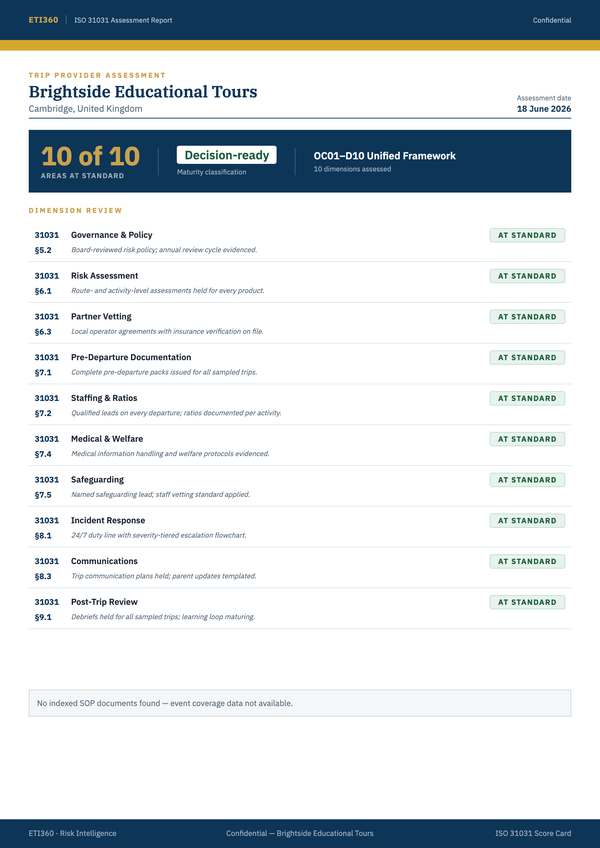
T1 · Your organization
Organizational Baseline Evaluation
The ten areas applied to your organization: policies, roles, standing arrangements, and supporting evidence recorded in a common structure.
Read by School risk committees · Your leadership
Tier Two · Every proposal
Trip Risk Review
The due diligence documentation school leadership asks for, and the documents that get students and parents ready for the trip.
A new proposal begins as one line: this school, this trip, these dates. ETI360 re-dates the itinerary, re-prepares the overview and parent documents, rebuilds the Weather Brief for the travel month, and flags holidays, closures and seasonal events for you to verify before anything is confirmed.
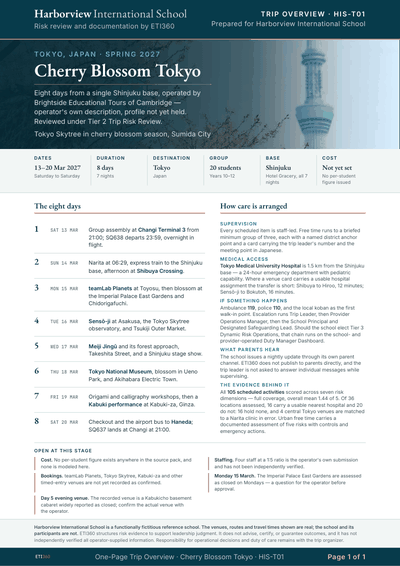
T2 · The first read
Trip Overview
Your program on one page: dates, group, and logistics at a glance.
Read by Head · Approving committee
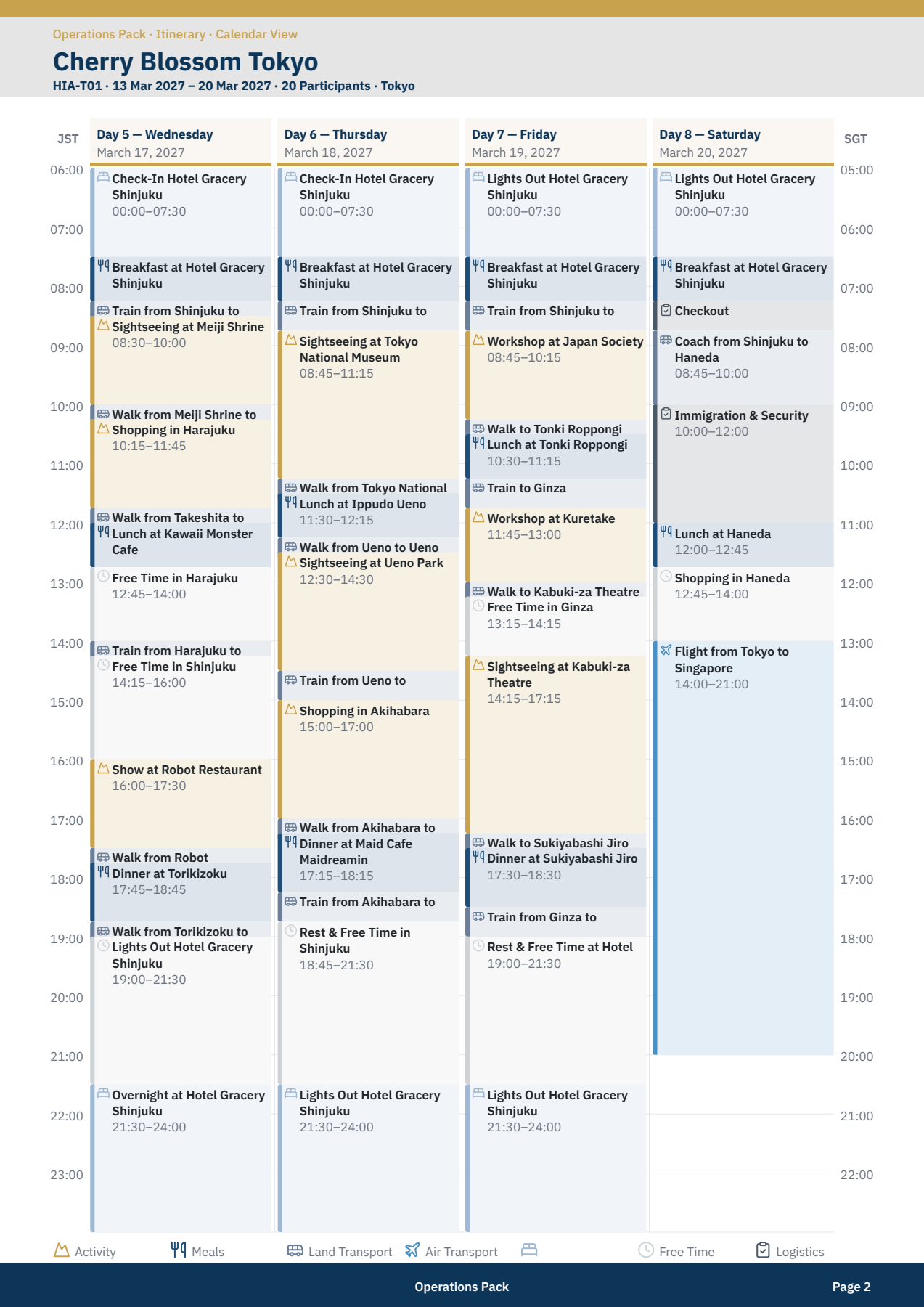
T2 · The operational record
Itinerary Report
The same journey as a minute-by-minute calendar: every activity, transfer, meal, and overnight in hour-by-hour blocks — the record each proposal is adjusted from.
Read by Coordinator · Trip staff
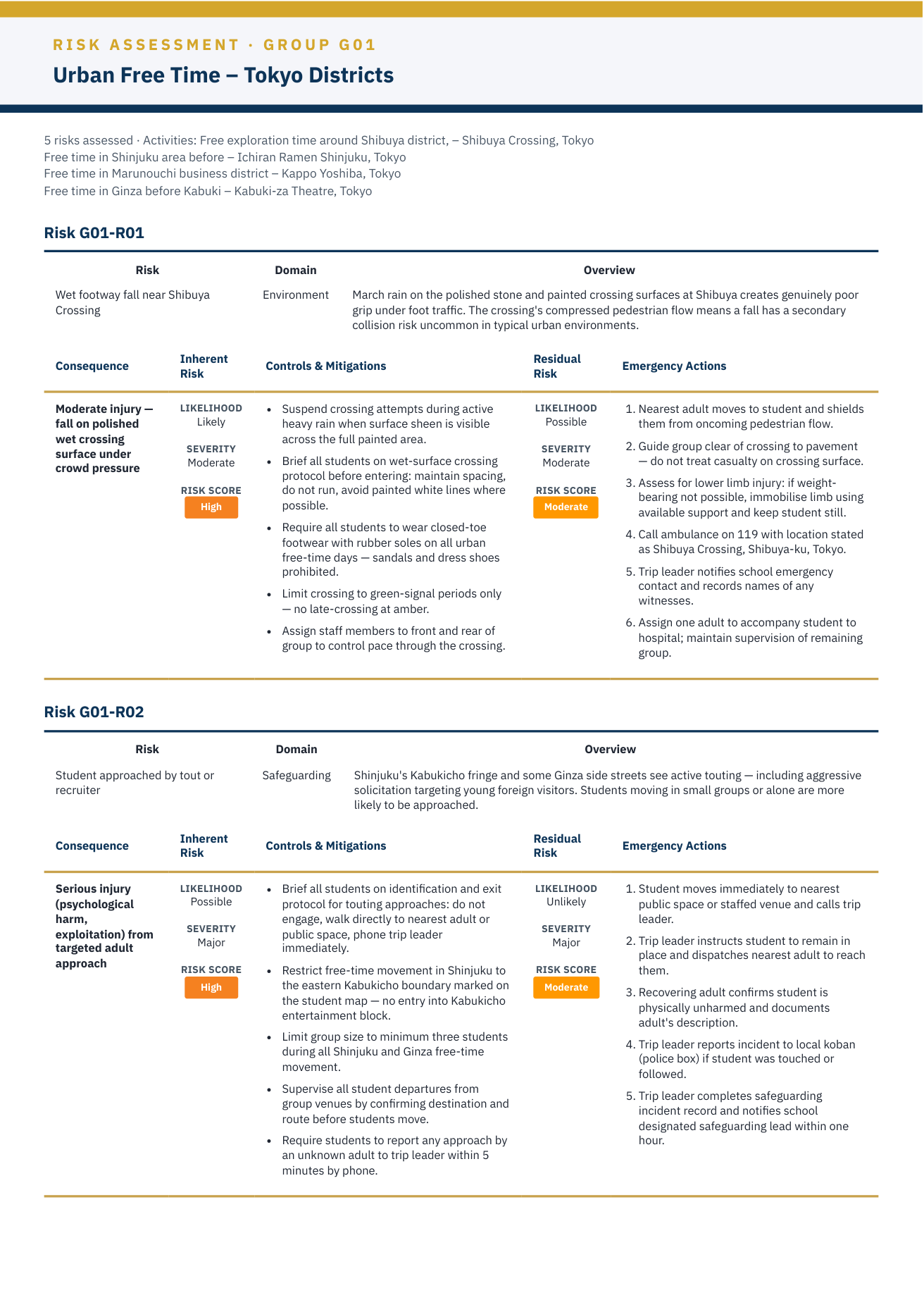
T2 · The decision record
Trip Risk Assessment & RAMS
The structured working documents behind the risk assessment and RAMS: hazards, controls, who holds each control, and residual risk in plain language — prepared for the school to review, complete, amend, and approve; the due diligence file its risk committee can put in front of the board.
Read by Risk lead · Trip staff · Provider
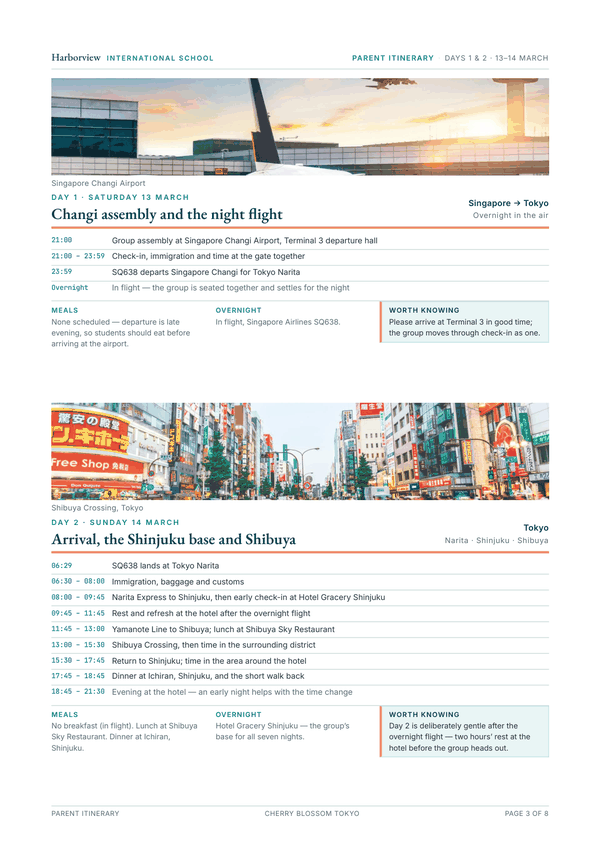
T2 · For families
Parent Itinerary
The journey written for families, in the school's own voice: clear day information, meals, accommodation, and what to know.
Read by Parents
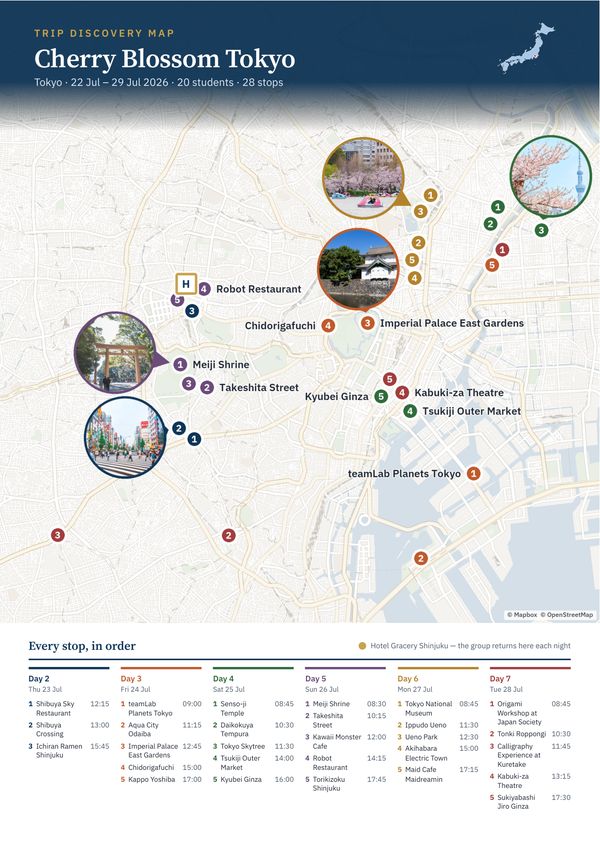
T2 · The trip on one sheet
Trip Discovery Map
Stops, routes, and the shape of each day on one visual sheet — as useful in your proposal as at the school's parent information evening.
Read by Coordinator · Parent information evening
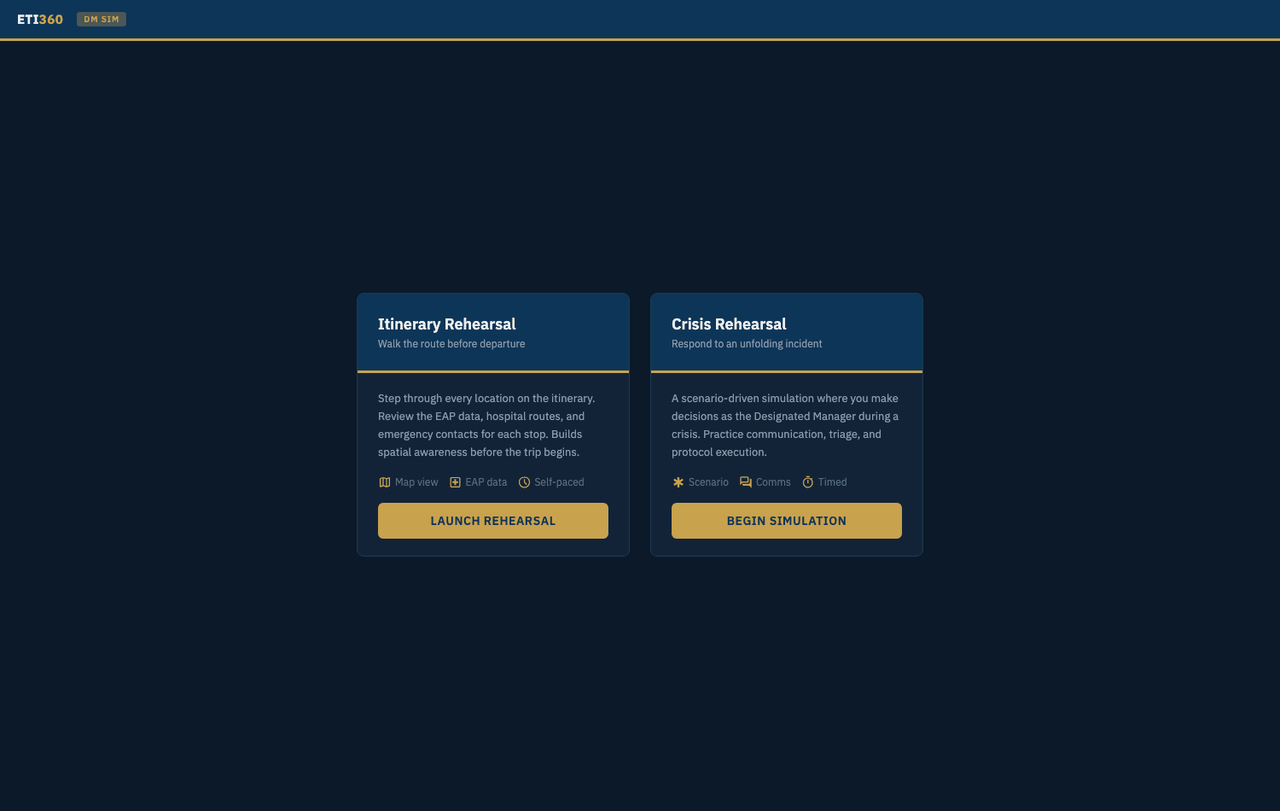
T2 · Rehearsal
Duty Manager Simulation
A facilitated ninety-minute session inside the dashboard: a way to stress test a trip before it runs, working through a realistic scenario with roles, communication, and escalation decisions.
Read by Duty manager · Trip leadership
Tier Three · During the trip
Dynamic Risk Operations
A working view for managing trip issues while groups travel — operated by the school's or the provider's own duty manager, never staffed by ETI360.
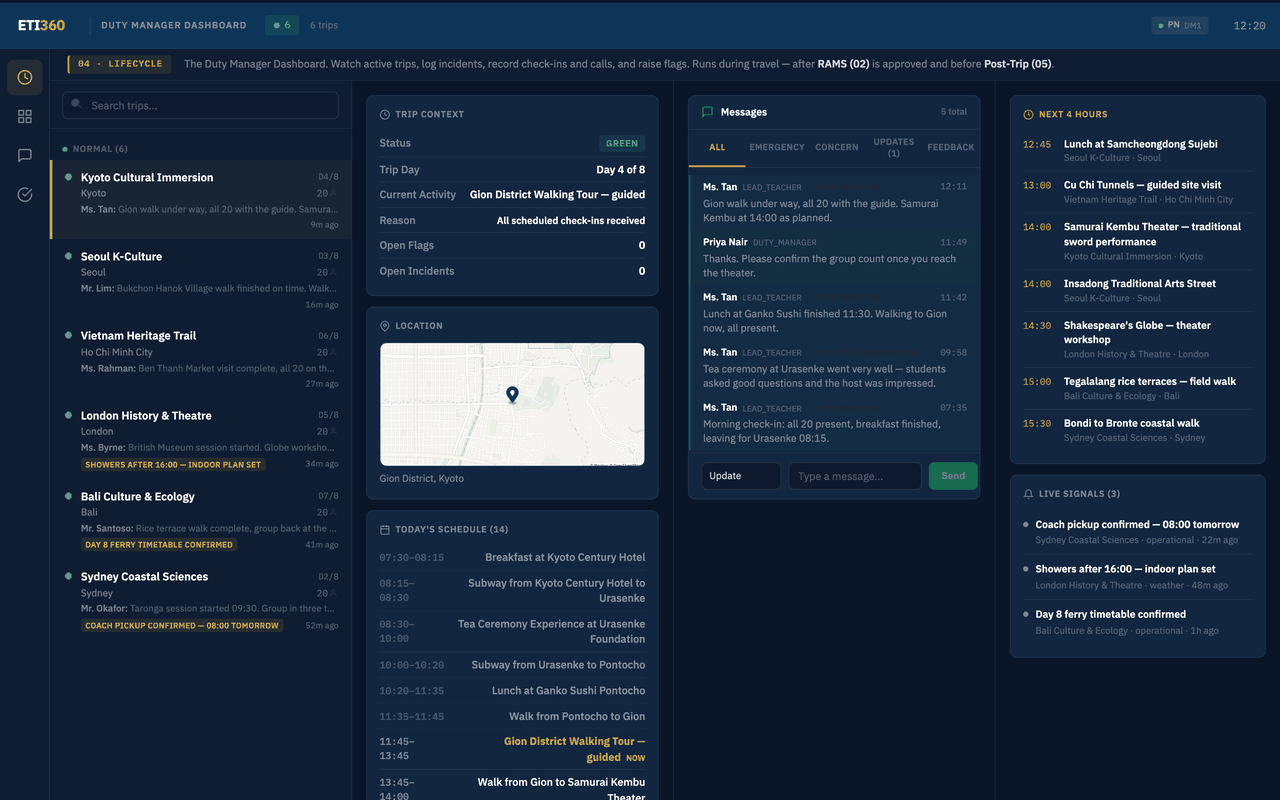
T3 · During the trip
Duty Manager Dashboard
The working view while groups travel: trip context, scheduled locations, check-ins, weather flags, incidents, contacts, and the escalation path agreed before departure. Operated by the school's or the provider's own duty manager, never by ETI360.
Read by The school's or provider's own duty manager