
Records that stay with the school
Harborview International School asked ETI360 for one way to record incidents, near misses and trip leaders’ feedback while groups are away, with every record kept in the school’s own Google Workspace account rather than in an outside system.
Educational Travel Incident Reporting System · Tier 3 Live Trip Support and Review · The trip shown: Nepal Himalaya Trek, 5 to 12 September 2026
Schools work under different data protection laws in every country, and Harborview’s families come from many of them. So the system is built to run in the school’s own account: the page staff open, the scripts, the AI that drafts each report, and every record. Once ETI360 installs it there, the records sit on Google’s servers under Harborview’s own agreement with Google, where its IT team already manages access and retention. ETI360 builds the system and does not receive the records.
Harborview sends
Harborview sends what it already has by email: its incident and near-miss forms, its escalation steps, the duty roster, and each trip’s itinerary and staff list. Its IT team gives one short meeting.
ETI360 does
Dan Skimin and Seb Wong design the reporting workflow with leadership. ETI360 builds the release, installs it in the school’s account with IT, loads each trip, and sends a test report with the school before any trip uses it.
Harborview receives, and decides
Harborview receives the system, installed in its own account at handover. Its staff write every record, and its duty manager confirms every field, closes every record and approves every report.
Built to run inside the school’s account
| Part | Installed in |
|---|---|
| The page staff open | Harborview's Google Cloud project |
| The scripts | Harborview's Apps Script project, installed from a versioned ETI360 release |
| Records, recordings, photos and PDFs | A Sheet and a Shared Drive folder in Harborview's Workspace |
| The AI that drafts summaries | Gemini through Vertex AI in Harborview's Google Cloud project, on the school's own key and billing |
| Access | A personal link for each trip leader and one for the duty team, reviewed by Harborview's IT and closed when the trip ends |
After installation, ETI360 keeps no copy of the records and has no access to the account. When Harborview wants a change, its IT team grants ETI360 edit access for that change and closes it afterward, because anyone who can edit the scripts can read the records.
One recording from the field
A trip leader opens their personal link, taps Report, chooses Incident or Near miss and records one voice message: where they are, what happened, who was involved, using students’ initials, and what they have done. The system adds the reporter, the time in the trip’s time zone, the day’s planned activity and the nearest emergency departments. Gemini writes a short summary and suggests the incident type, severity and medical attention, each with the words it relied on, and the duty manager confirms or changes every suggestion.
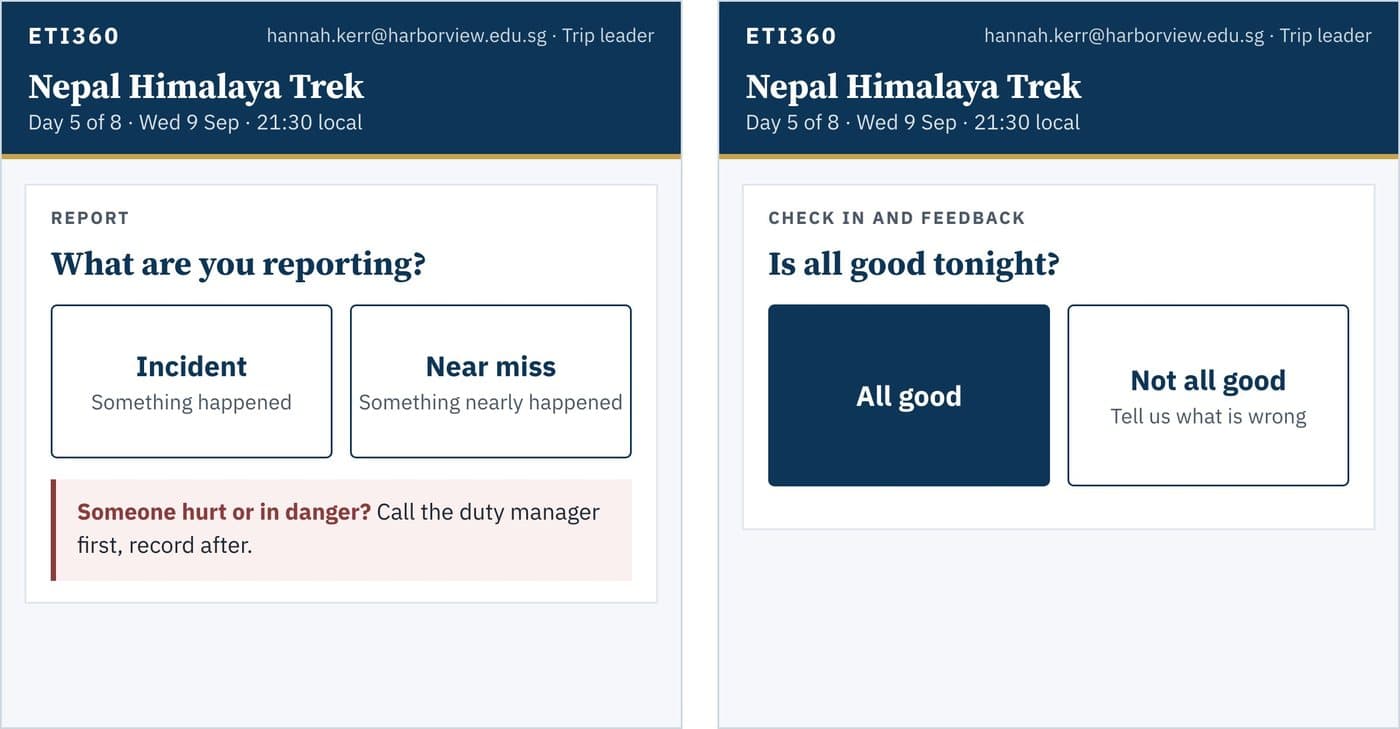
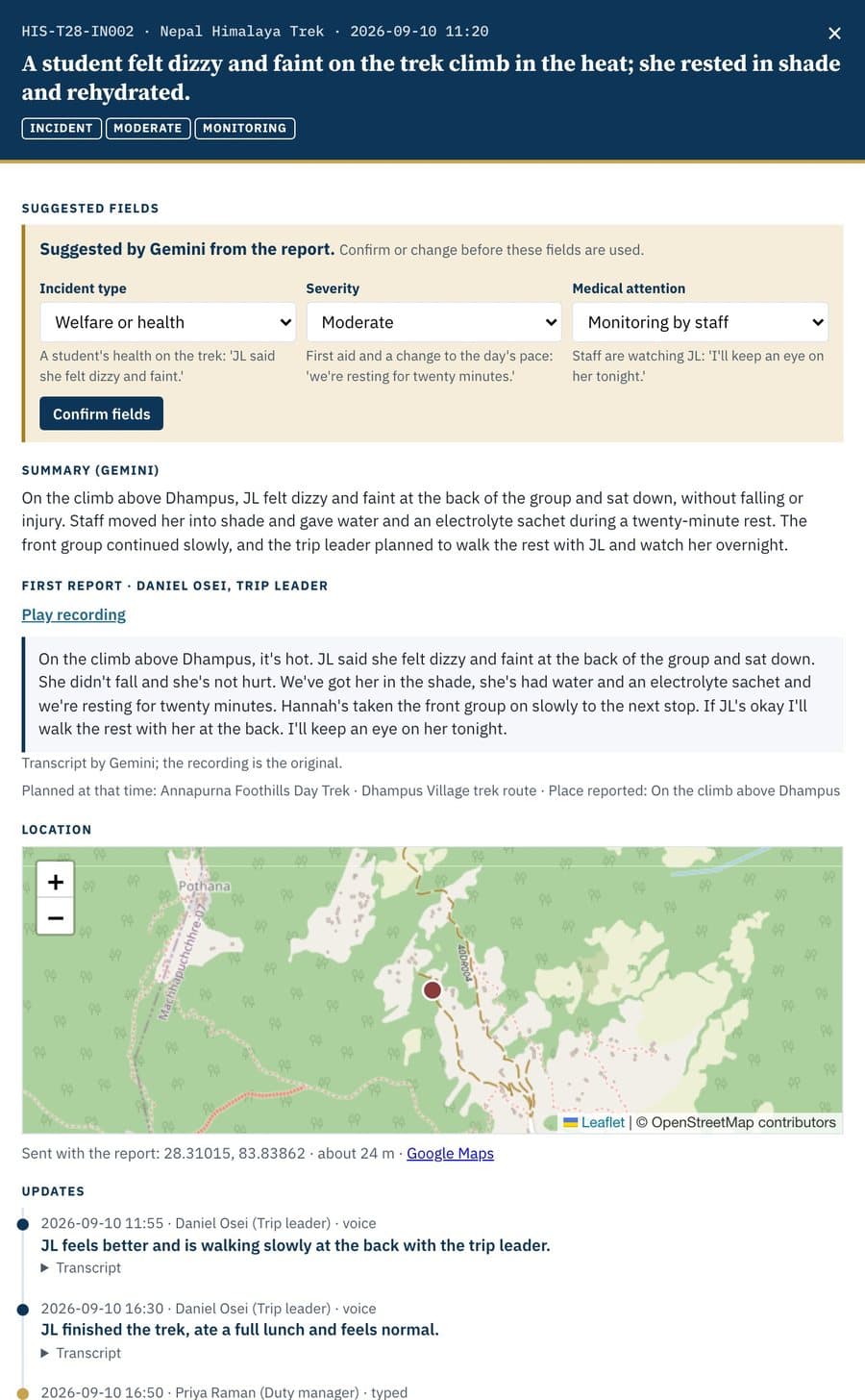
Gemini suggests and summarizes from what was said; it makes no medical judgment and sets no status. The duty manager confirms every field, and the trip leader makes every decision on the ground.
Every evening at 21:00
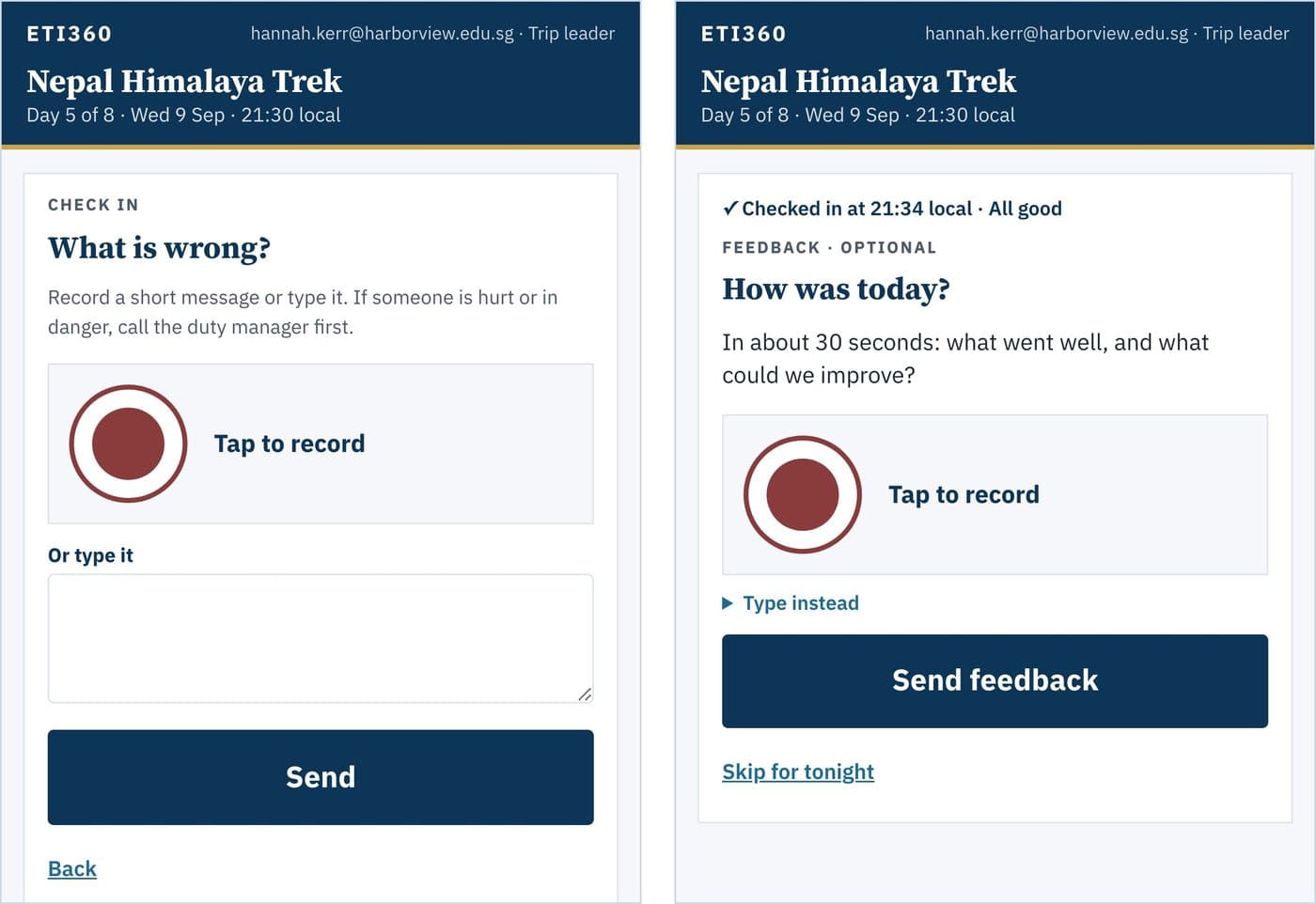
At 21:00 local time the system emails each trip leader one question: is all good tonight? “All good” is one tap. “Not all good” opens one short recording that says what is wrong, and the duty roster is emailed at once. Then, if the leader chooses, the page asks for about 30 seconds on what went well and what could improve. There is no headcount and no form, and a leader can skip the review.
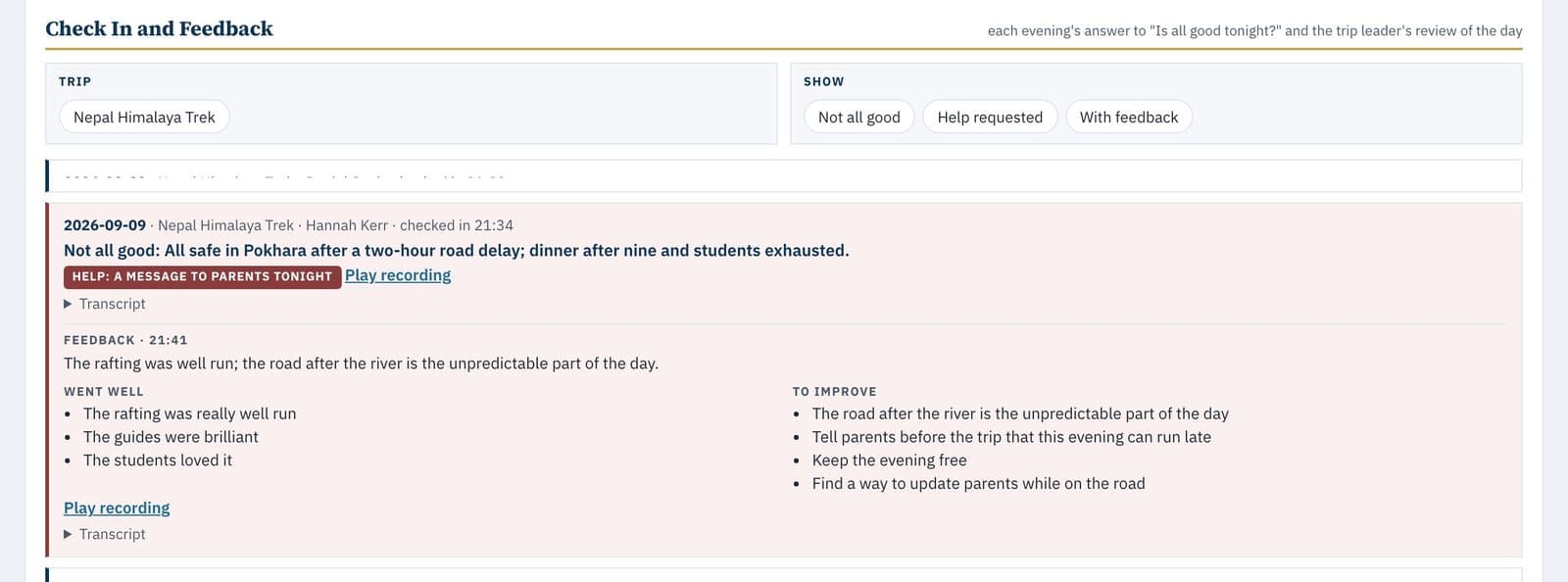
The duty manager’s view
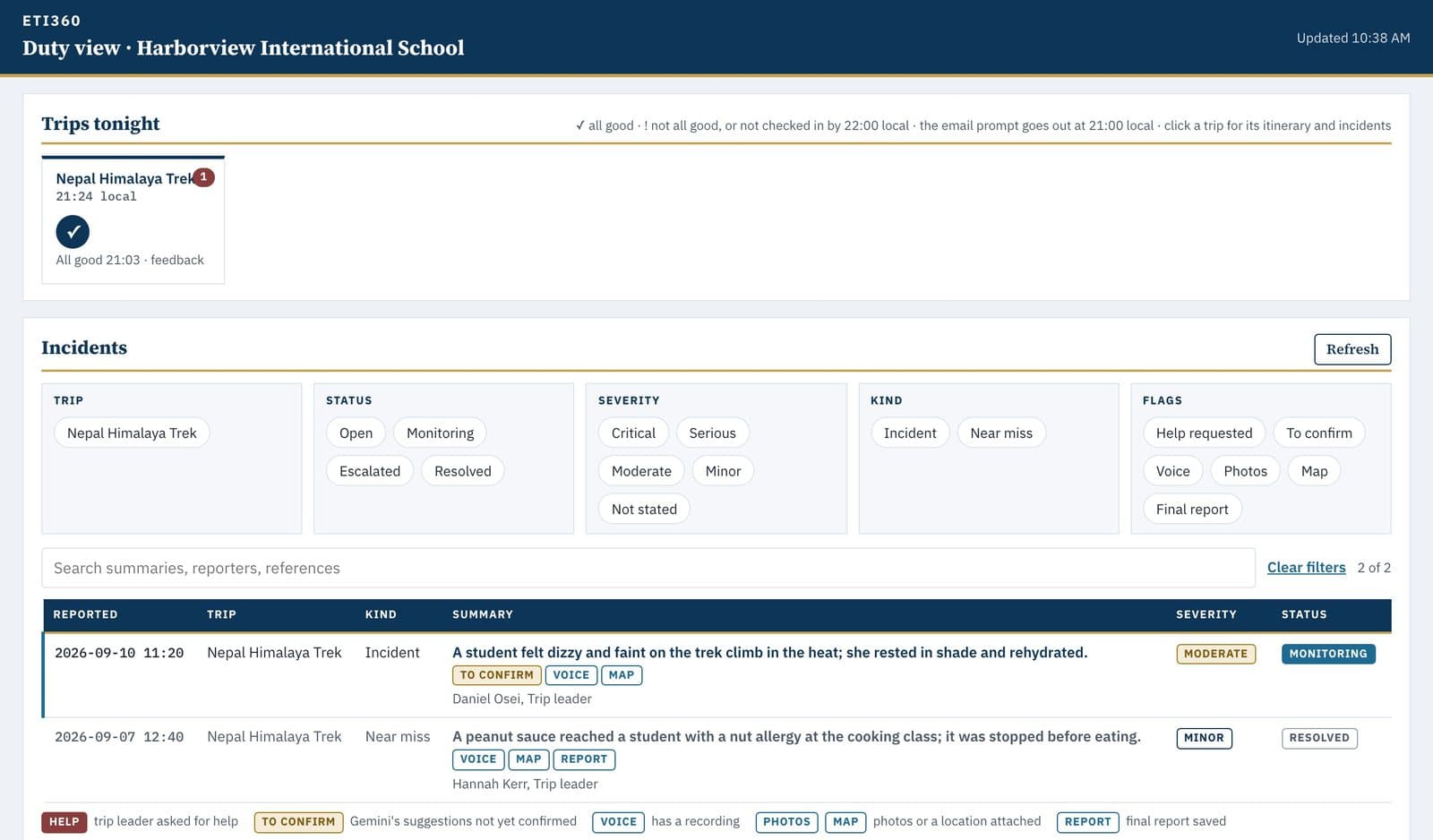
The duty view shows the records Harborview’s own staff wrote and the status the duty manager set. It keeps no due dates or countdowns; the school’s own procedures say what happens next.
From each record to the end of the trip
When the duty manager closes a record, Gemini drafts the narrative and the timeline from the first report and every update. The duty manager edits the draft, adds the resolution and who was told, and the final incident report is saved as a PDF in Harborview’s Drive. When the group is home, the evenings become the Check In and Feedback Report, and ETI360 adds it to the families’ Post-Trip Report in one End of Trip Pack.
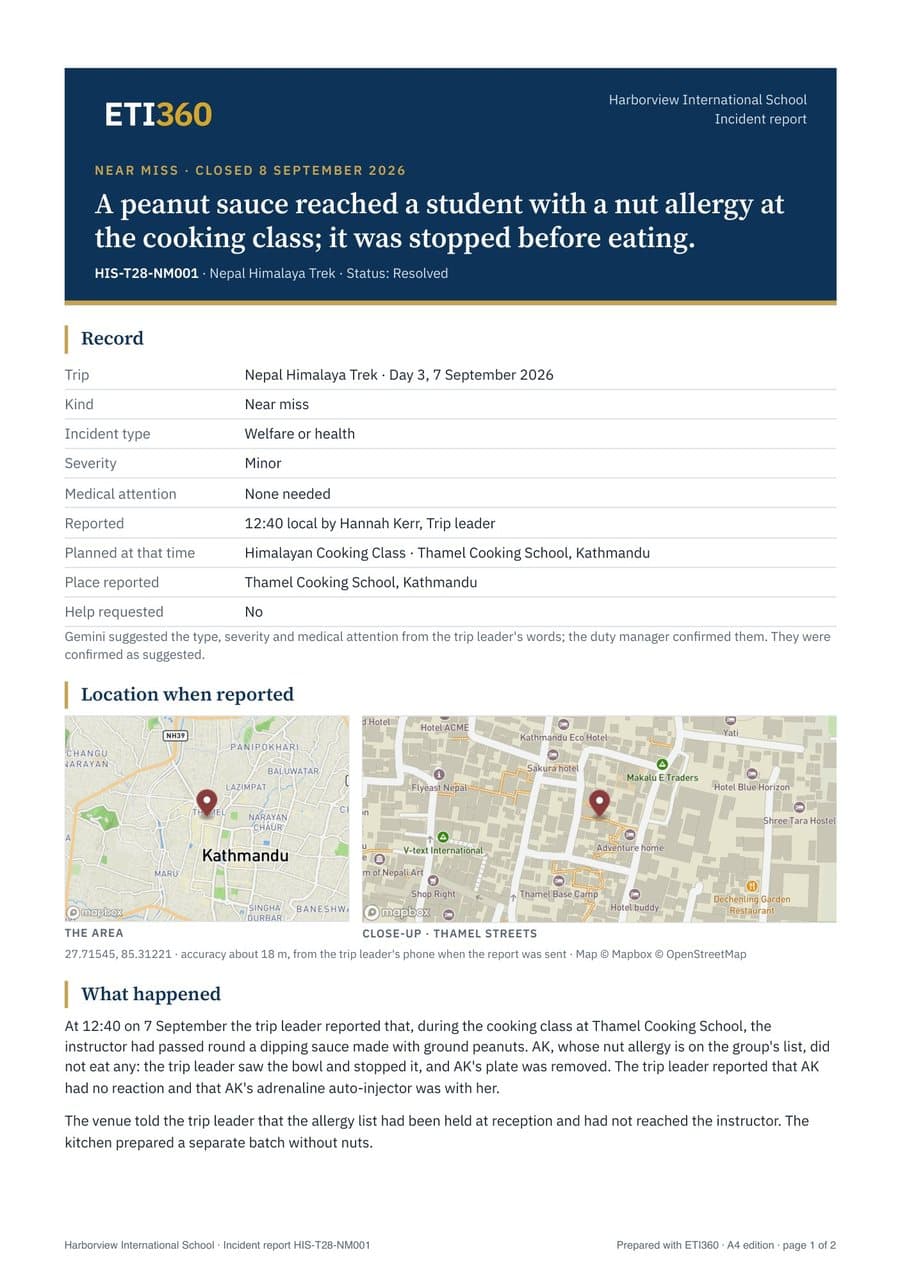
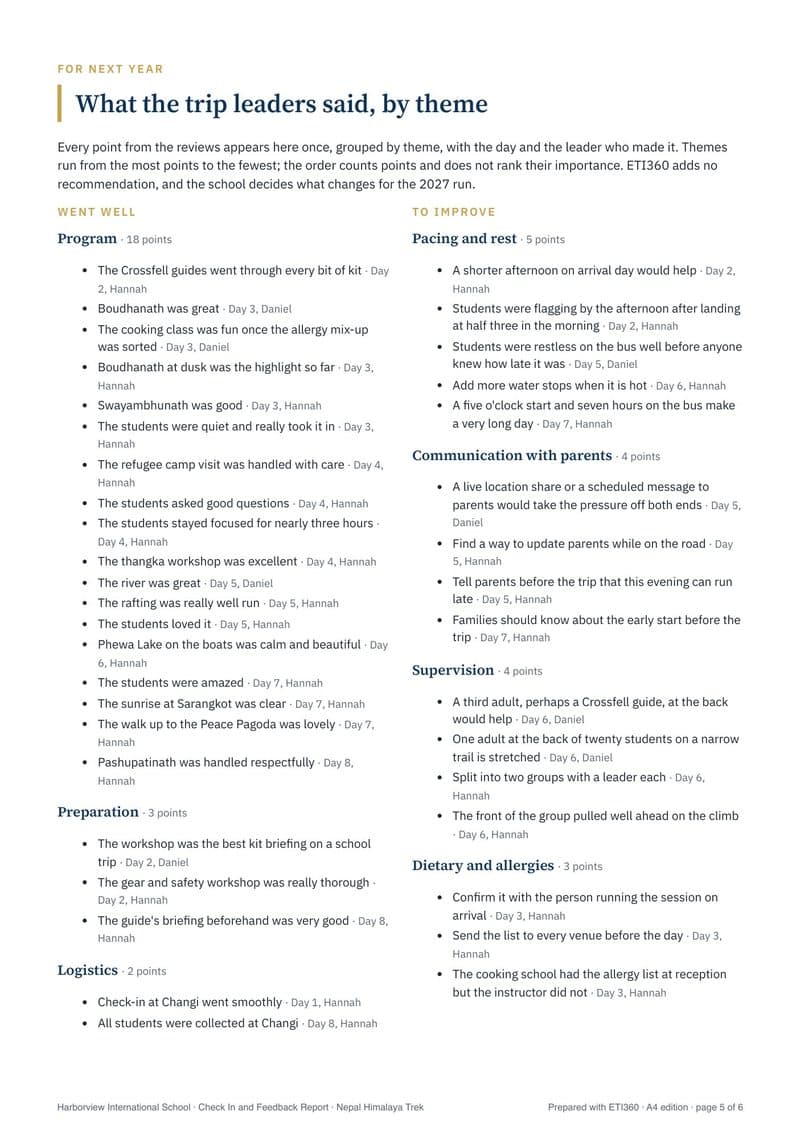
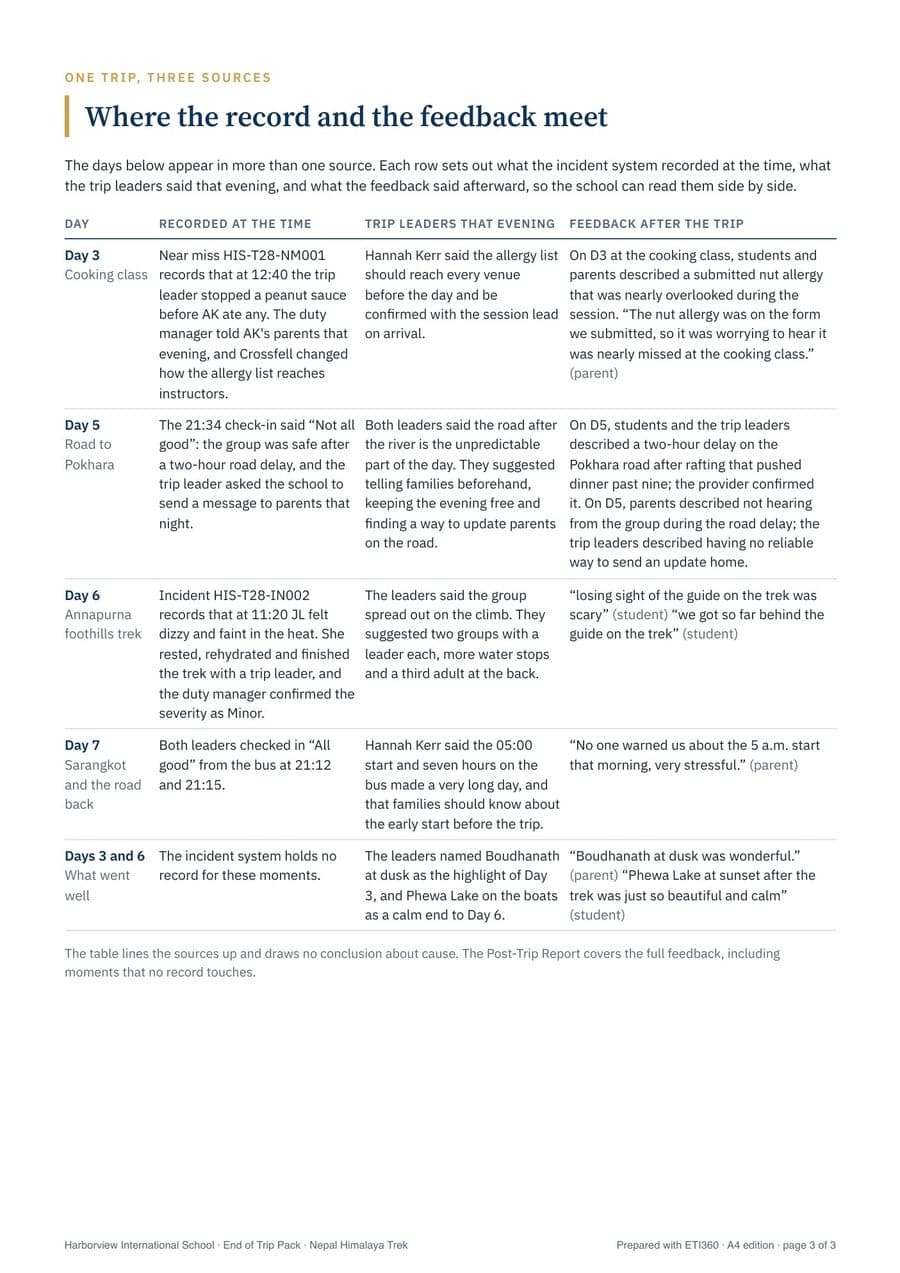
ETI360 designs the workflow and installs the system in the school’s own account; it does not read what the school writes into it. The school’s staff write every record, and the school retains responsibility for decisions, live assessments, and final approval of every report.
An illustrative engagement: the screens and reports shown are the output of ETI360’s working version of the system for the trip’s records, and ETI360 installs the release in a school’s own account at handover. Crossfell Expeditions is a fictional trip provider; its trip was written for this example. The same workflow can be built in Microsoft 365 when a school works there. Read the Harborview partnership case study.