Staff record what happens on each trip and the feedback helps the school prepare the next one.
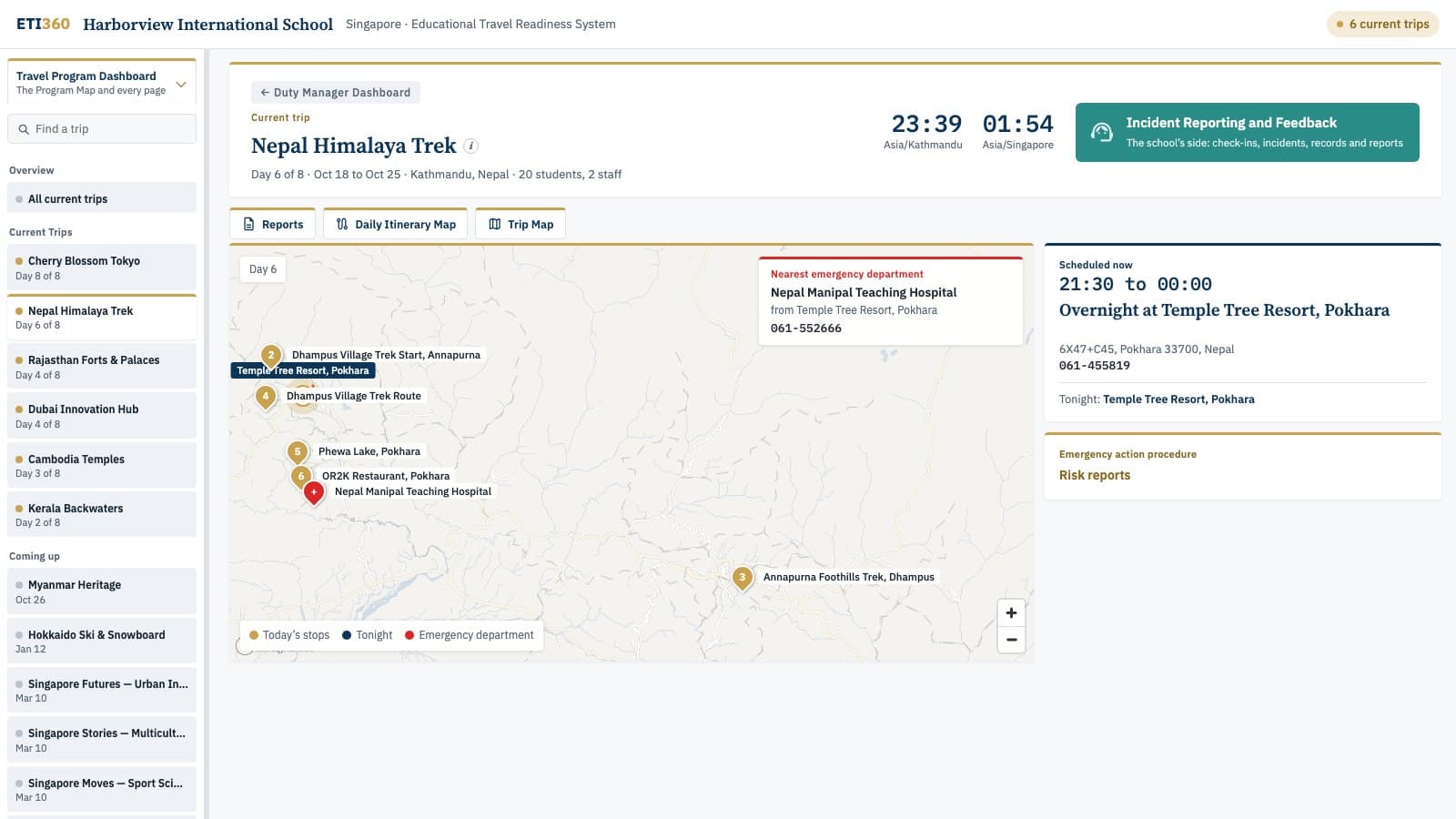
The Duty Manager Dashboard shows day 6 of Harborview International School's Nepal Himalaya Trek.
The Duty Manager Dashboard
The duty manager opens one page and picks the group. They see where the group is scheduled to be right now, the weather and warnings there, the nearest hospital and the emergency action procedure for that part of the day. Nothing is tracked. The page follows the itinerary.
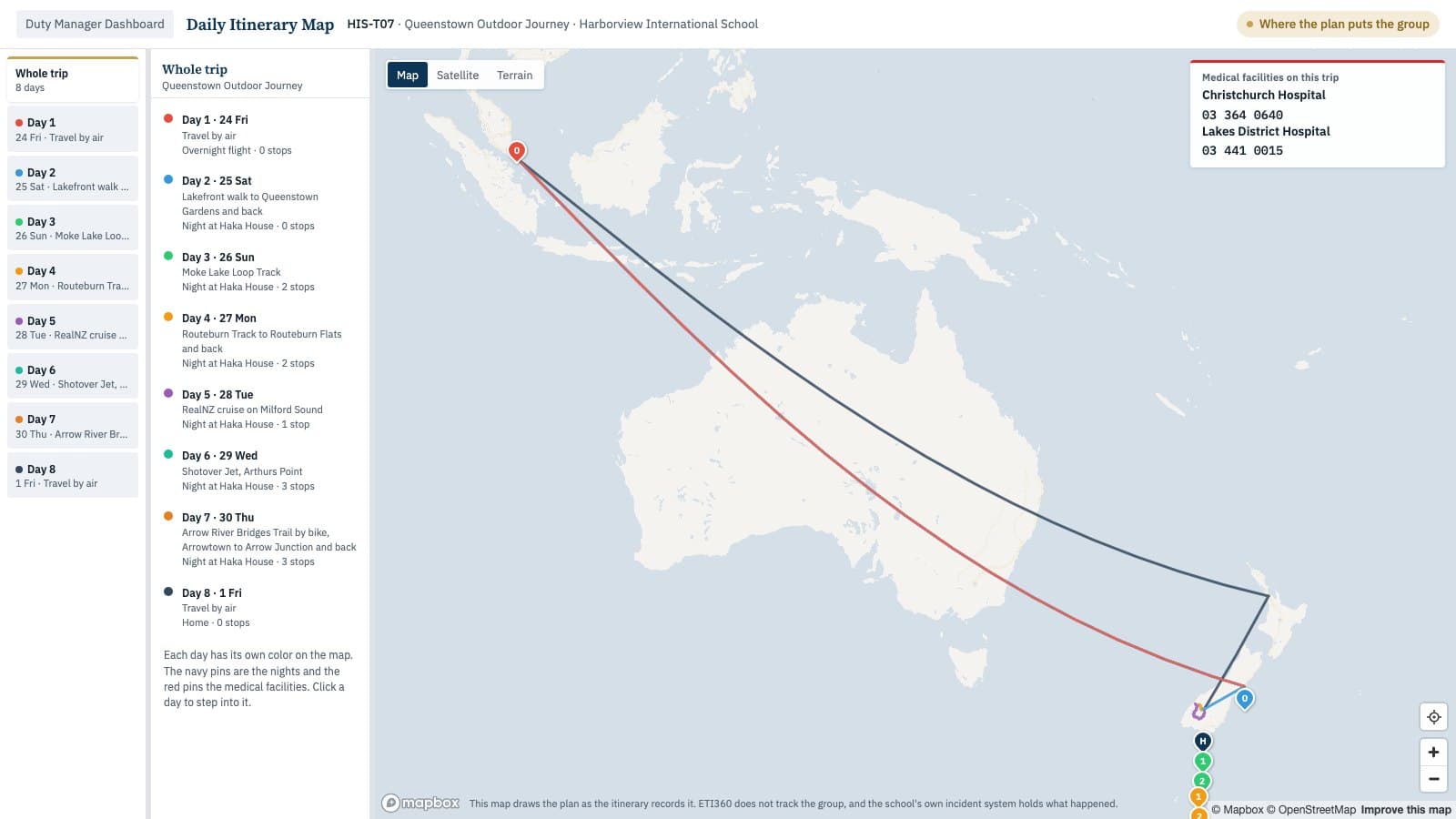
The Daily Itinerary Map for the Queenstown Outdoor Journey, the whole trip in one view.
The Daily Itinerary Map
The map shows the whole trip day by day from the first flight to the return. Route View opens from the outdoor days and shows the route in three dimensions with the climb and the stops.
The Documents in This Tier
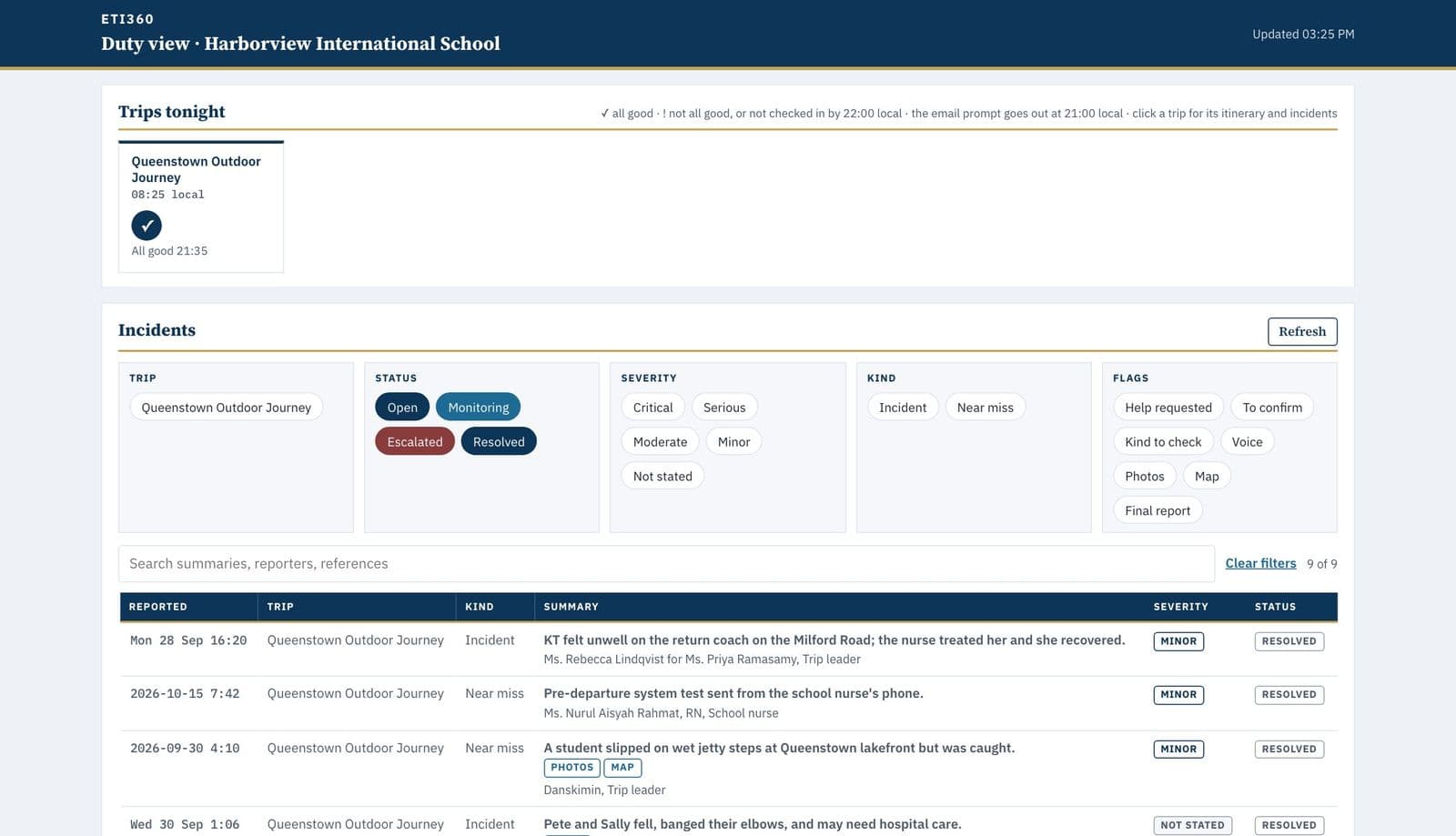
The Duty Manager Incident Dashboard, the Queenstown trip tonight and its incident records
Incident Report System
Trip leaders check in each evening and report incidents from their phones. The Incident Report System is built to run in your school’s own Google Workspace or Microsoft 365 and we install it there at handover.
The records stay in your account and we never read them. Before each trip your system gets an export of the trip from our database so nobody types the itinerary twice.
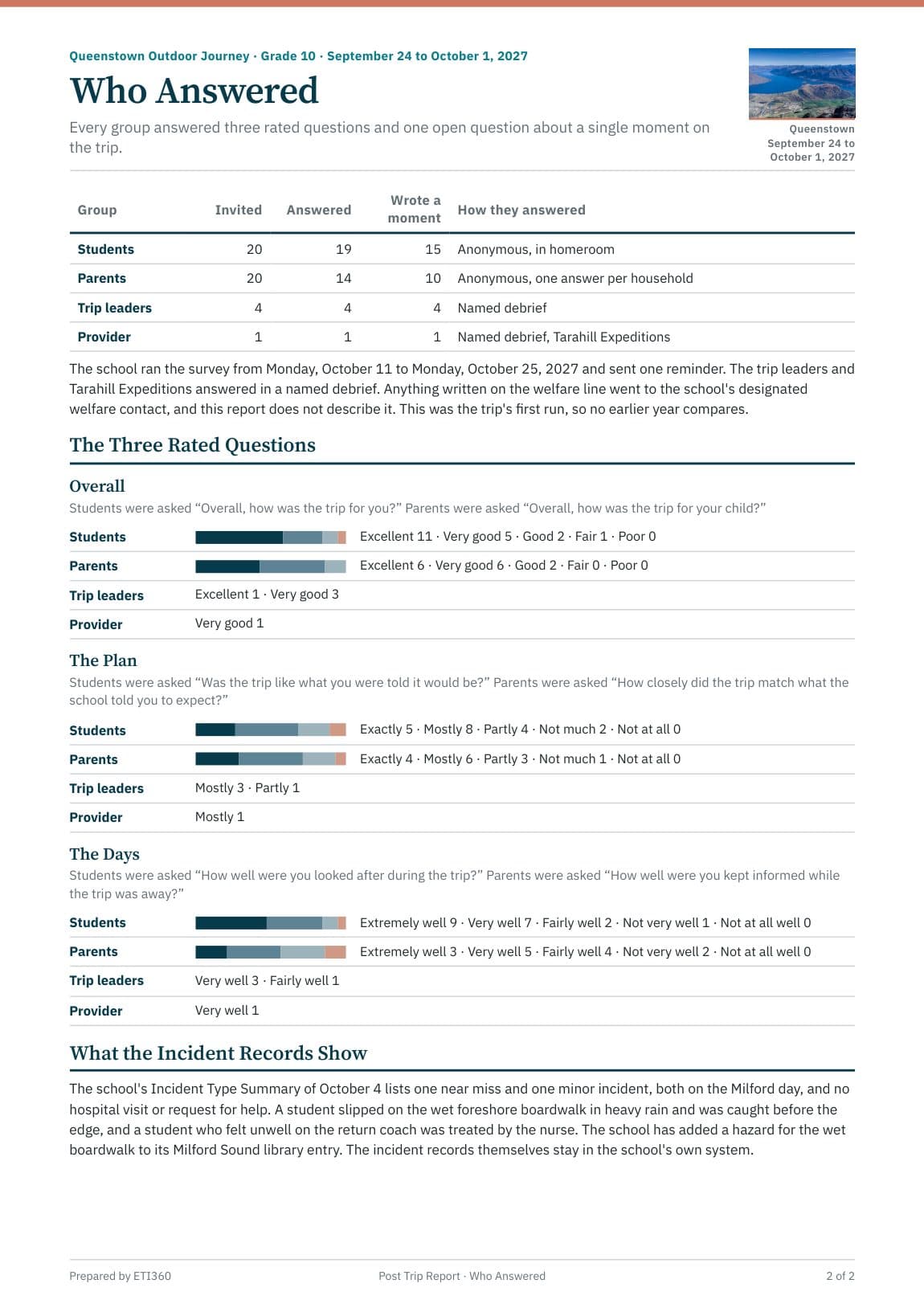
The Post Trip Report, who answered and what the records show
Post Trip Report
After the trip the Post Trip Report gathers the leaders’ notes, the feedback from students and families and your school’s own summary of incident types. The summary names no one.
Each finding points to the part of the plan it touches and your school decides what to change.