For Schools · Tier 2 Trip Risk Review
Can your duty manager practice one of your own trips before it runs?
The Duty Manager Simulation: one of the school's own trips, run by its own duty manager inside the Duty Manager Dashboard before the group departs.

A group is away, and the duty phone sits beside the trip file. The itinerary, the contact sheet, the hospital list, and the approved RAMS all exist, each on its own page and each complete in its own terms. Working them together — with a call on the line and a message arriving on the dashboard — has no venue before the trip itself.
ETI360 prepares that venue: the itinerary normalized, the school's own procedures included where the school supplies them, and the trip staged inside the Duty Manager Dashboard — the same screen used for live trips. In a facilitated ninety-minute session, remote or on-site, the school's own duty manager — observers welcome — runs it from the documents at hand. The trip plays clean, then stops going to plan, twice — partial information by phone and message, the clock running, every decision recorded. The record is about the plan, not the person; the facilitator says so at the start.
The Harborview Nepal Himalaya Trek rehearsed: the dashboard in simulation and the After-Action Report
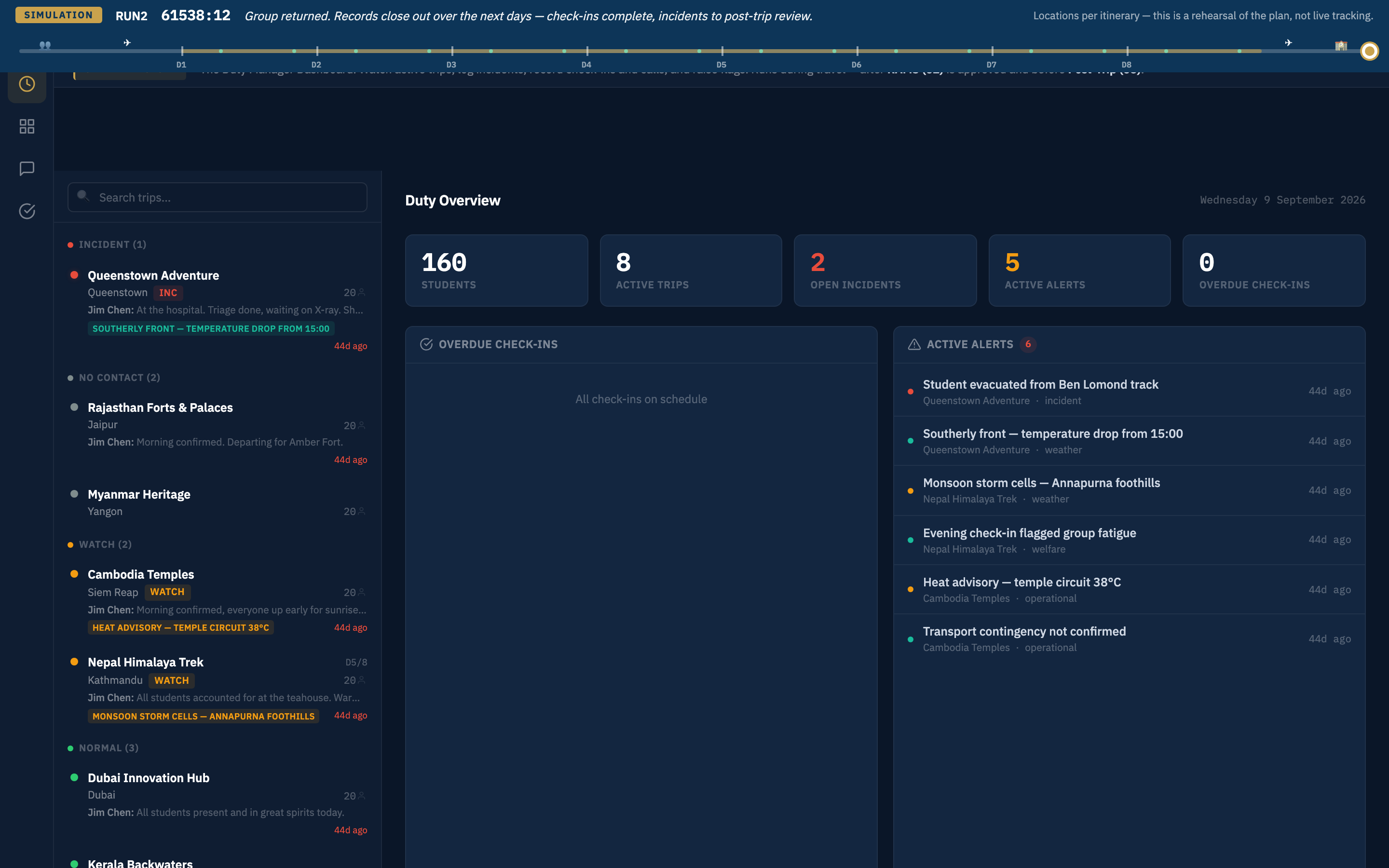
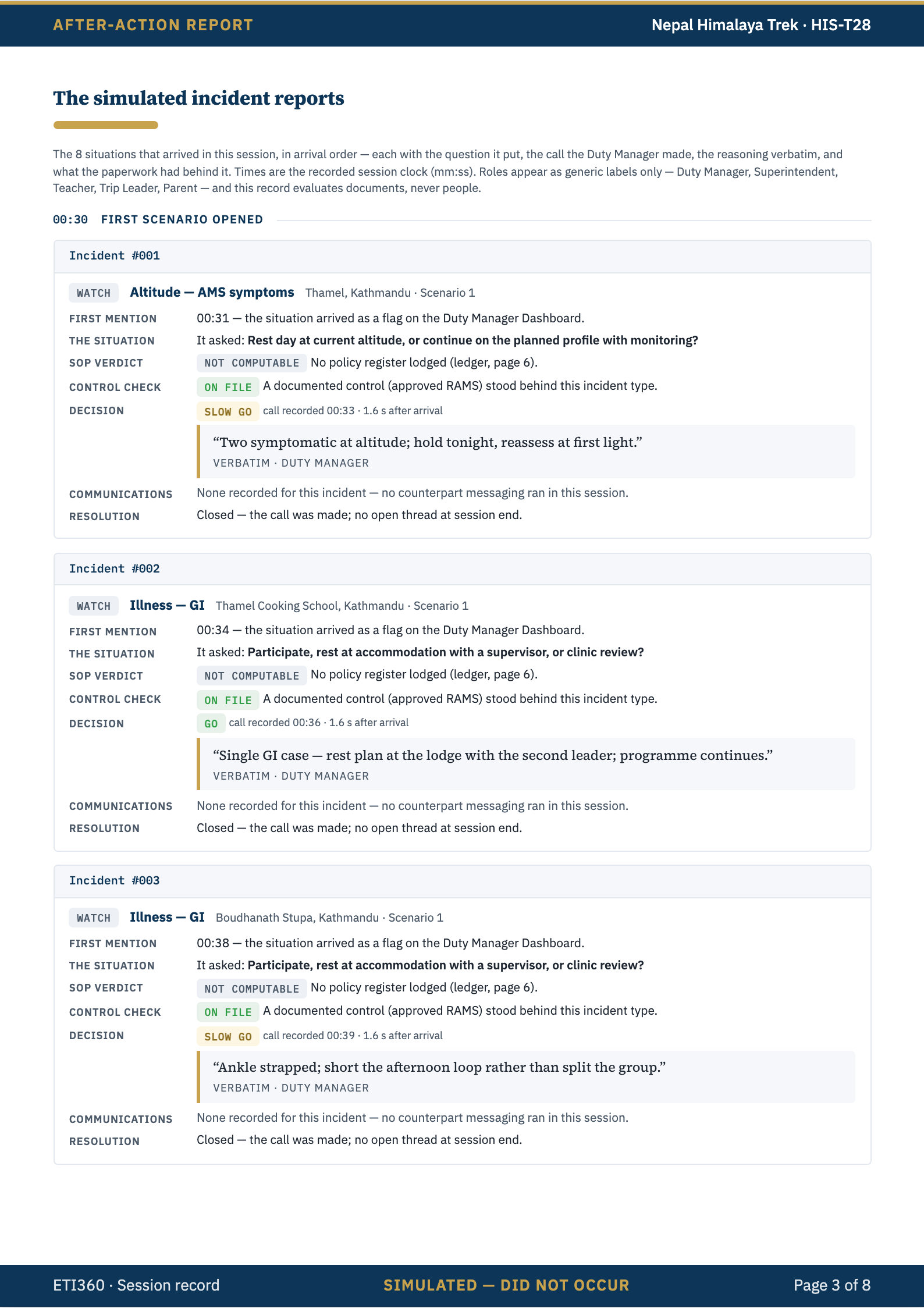
Drawn from the trip's reviewed itinerary — the real places, hospitals, and contact sheet — the scenario holds nothing that could not happen on that itinerary: if it has no kayaks, nobody capsizes. Behind the SIMULATION badge, live trips stay untouched.
Calls arrive on a phone, messages on the dashboard — the facilitator voices the trip leader, the provider, a parent. Each situation's decision is logged as Go, Slow go, or No go with its reasoning, verbatim, as it is made.
Nothing is corrected mid-session. The debrief replays the timeline; the coverage reveal shows which events the room faced were covered by a documented control in the trip's approved RAMS and which were handled on judgment alone — gaps identified, never scheduled.
The session is recorded for the After-Action Report, with consent asked on screen first. Compiled from the session's record, the report names no one; it reaches the school within 48 hours, filed with the trip, and a 30-minute conversation follows.
Your school's own duty manager operates the dashboard, and your school approves its own RAMS; ETI360 facilitates and records — it does not monitor trips on your behalf, make escalation decisions, or replace emergency services.
The screen the duty manager rehearses on is the Duty Manager Dashboard — the working view while groups travel, run by the school's own duty team: the same lanes, trip view, and incident form, now carrying the live trip's check-ins, messages, contacts, and incident record.
Rehearsed within Tier 2 Trip Risk Review on the Duty Manager Dashboard, the school's Tier 3 working view.
Talk it through on your own trips.
A 20-minute conversation about the trips you run is enough to see whether the Duty Manager Simulation fits how your school prepares its duty team.
Get in touch →We respond within two business days.