Duty Manager Dashboard
Can your duty manager see the same trip context while groups travel?
ETI360 carries the approved trip record into one operating view for the school’s own duty manager, with calls, check-ins, messages and updates tracked beside the trip context they relate to.
The operating question
The trip file should remain usable after the group departs.
A duty manager may need to move between the itinerary, contact list, location information, messages and incident notes while monitoring several groups. The difficulty is not a lack of documents; it is the lack of one operating view.
ETI360 brings the agreed trip context forward into the dashboard. The school’s duty manager operates it, records communications and updates, and follows the school’s own communication and escalation arrangements.
The active-trip view
Eight trips, with communications connected to the trip they belong to.
The dashboard keeps the trip list, selected trip context, location, check-ins, messages, contacts, calls, flags and incident entry in one interface. Communications remain part of the operating record rather than sitting in an unconnected side channel.
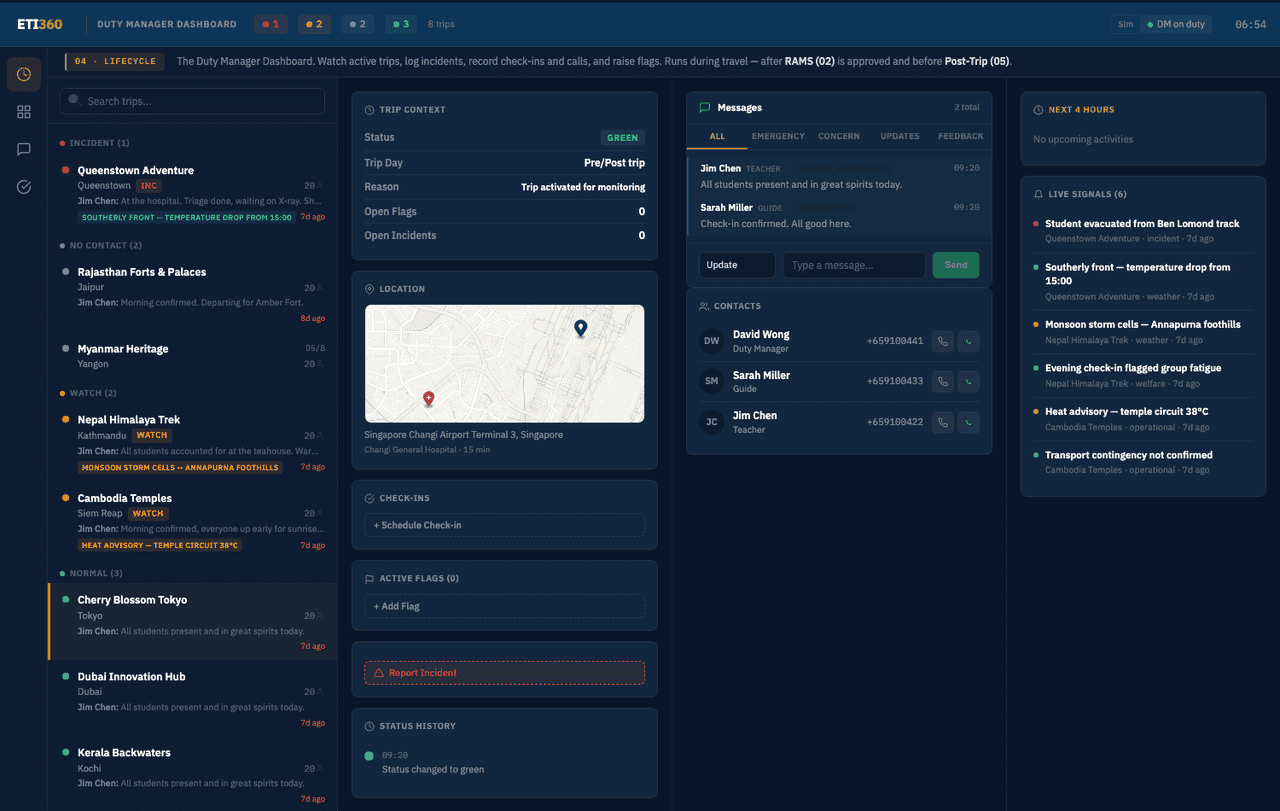
Each communication remains connected to the trip context.
The dashboard supports the school’s existing communication channels while creating one chronological view of what was received, recorded and followed up.
Check-ins
Routine confirmations are recorded against the active trip and its current operating context.
Messages
Relevant messages and updates remain visible in the selected trip’s history.
Calls
Call notes can be time-stamped and associated with the person, trip and subject.
Follow-up
Flags, actions and subsequent communications build one chronological operating record.
The record behind the screen
A communication is more useful when its context travels with it.
The dashboard is the operating surface of a wider trip file. The itinerary, locations, contacts and agreed procedures sit beside the communication record, so an update can be read against what was planned and what happened next.
- Context
- The trip’s dates, locations, program and contacts are already structured.
- Capture
- Calls, messages and check-ins can be recorded in a common format.
- Sequence
- Time stamps show the order of updates and follow-up actions.
- Continuity
- The communication history remains associated with the trip after it closes.
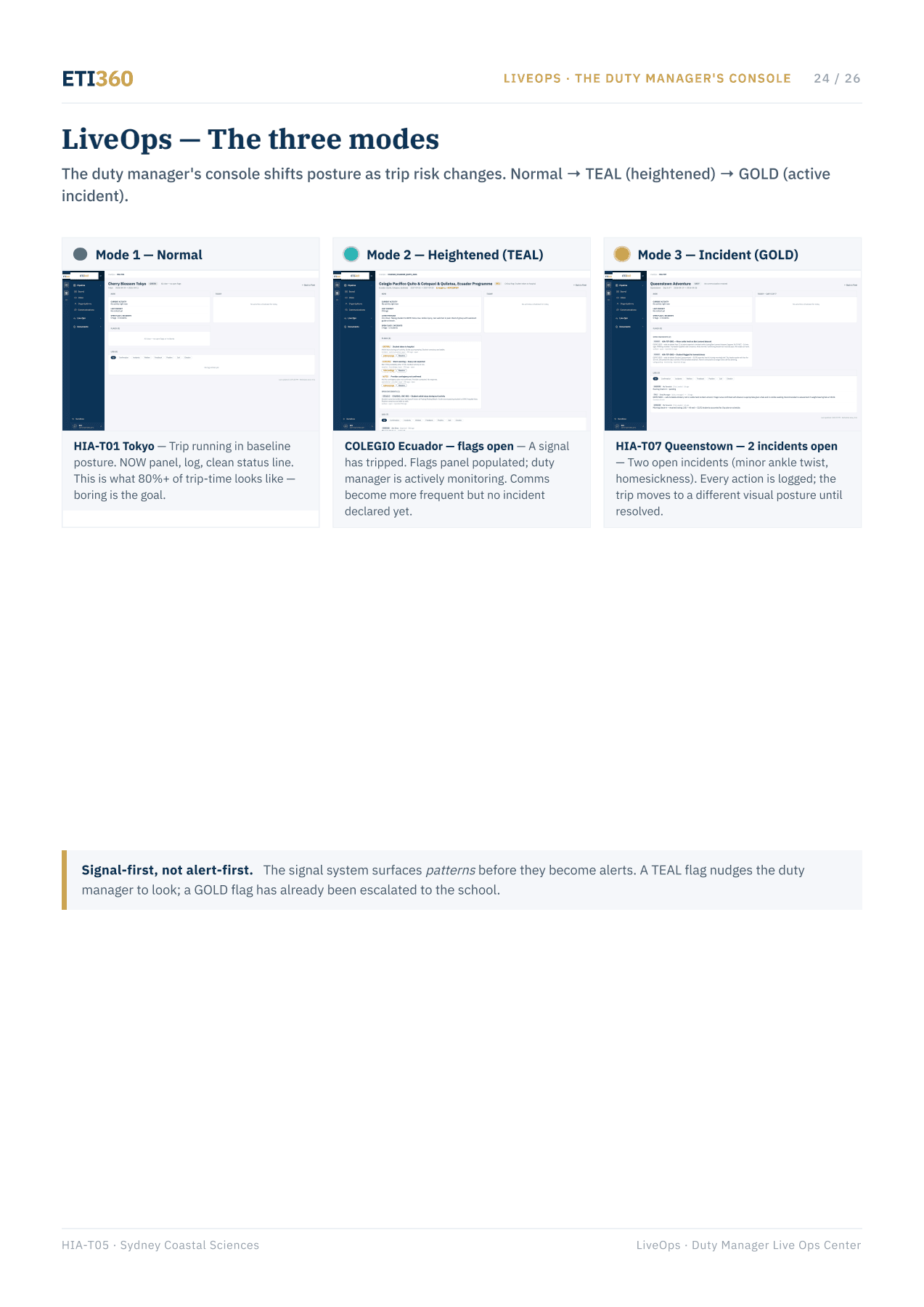
Where this applies
For schools monitoring one or many active trips.
The dashboard supports the school’s nominated duty manager during travel and can be rehearsed before departure through a facilitated simulation using one of the school’s own trips.
The operating view depends on the planning record.
Location, route and condition information become more useful when they remain connected to the itinerary, contacts and agreed procedures the duty manager receives.
A practical starting point
See how one of your trips would read in operation.
Send an itinerary for a trip already in planning. We will show the context the duty manager would receive and how the working view connects to the documents prepared before departure.