Calendar + Timeline
Do you know the scheduled location of every trip group, on every trip?
ETI360 converts the itinerary into two connected views: a detailed calendar for reading each day and a continuous timeline for seeing the whole trip from departure to return.
The planning question
A list of activities is not yet a continuous account of the trip.
Itineraries often describe the main events clearly while leaving transfers, breaks, free time and overnight periods in separate documents or implied between entries.
ETI360 structures every scheduled block in sequence, then presents it as both a day-by-day calendar and a whole-trip timeline. The coordinator, trip leader and duty manager can choose the view they need without reconciling different versions.
A complete five-day view
One timeline shows the trip from airport arrival to departure gate.
Accommodation, activity, transit and meal or break periods are differentiated without breaking the sequence. Unscheduled time remains visible rather than disappearing into a gap.
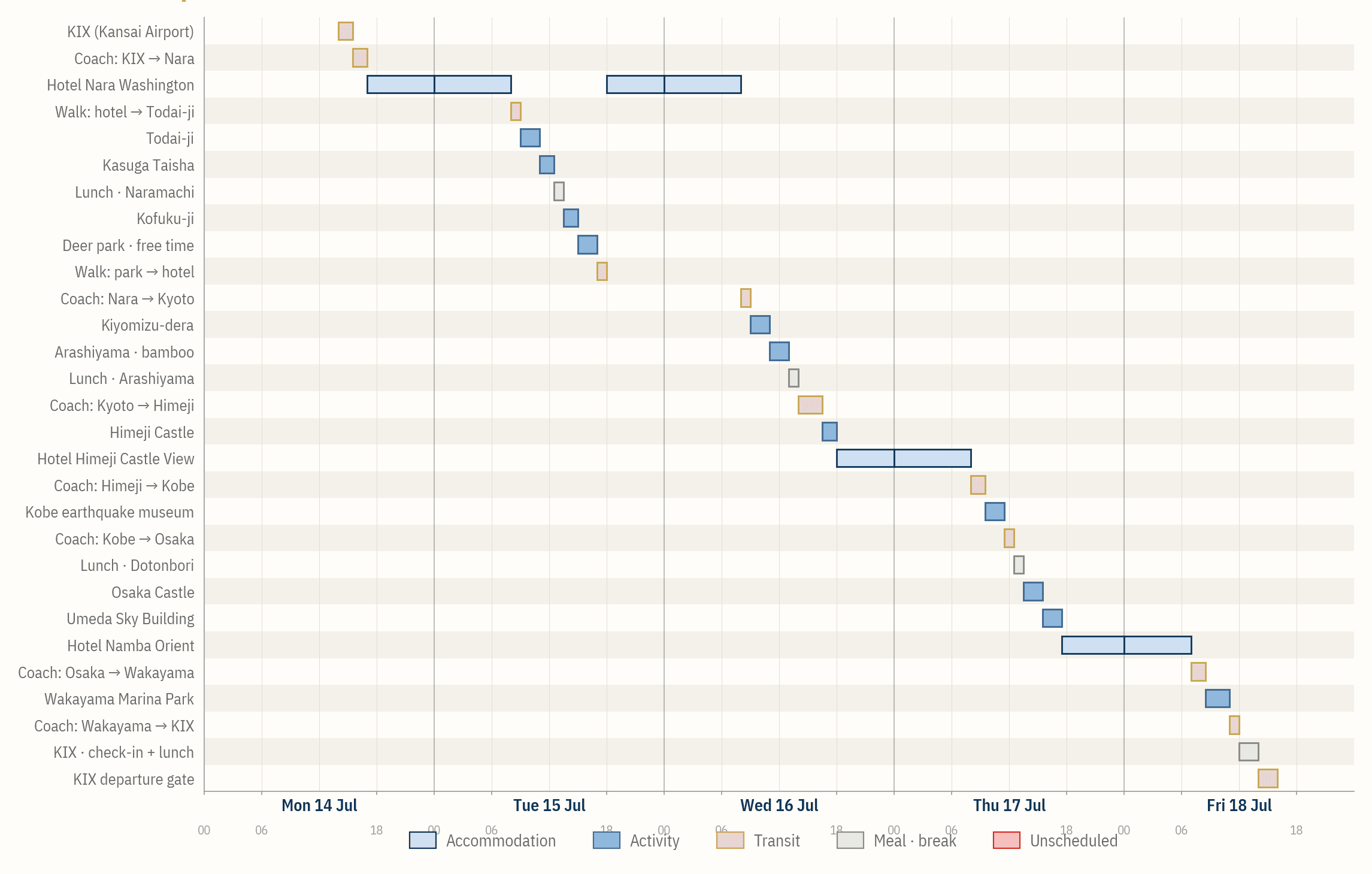
The same itinerary can be read at two useful scales.
The calendar carries the operating detail of each day. The timeline shows continuity across the trip. Both remain connected to the same source record.
Calendar view
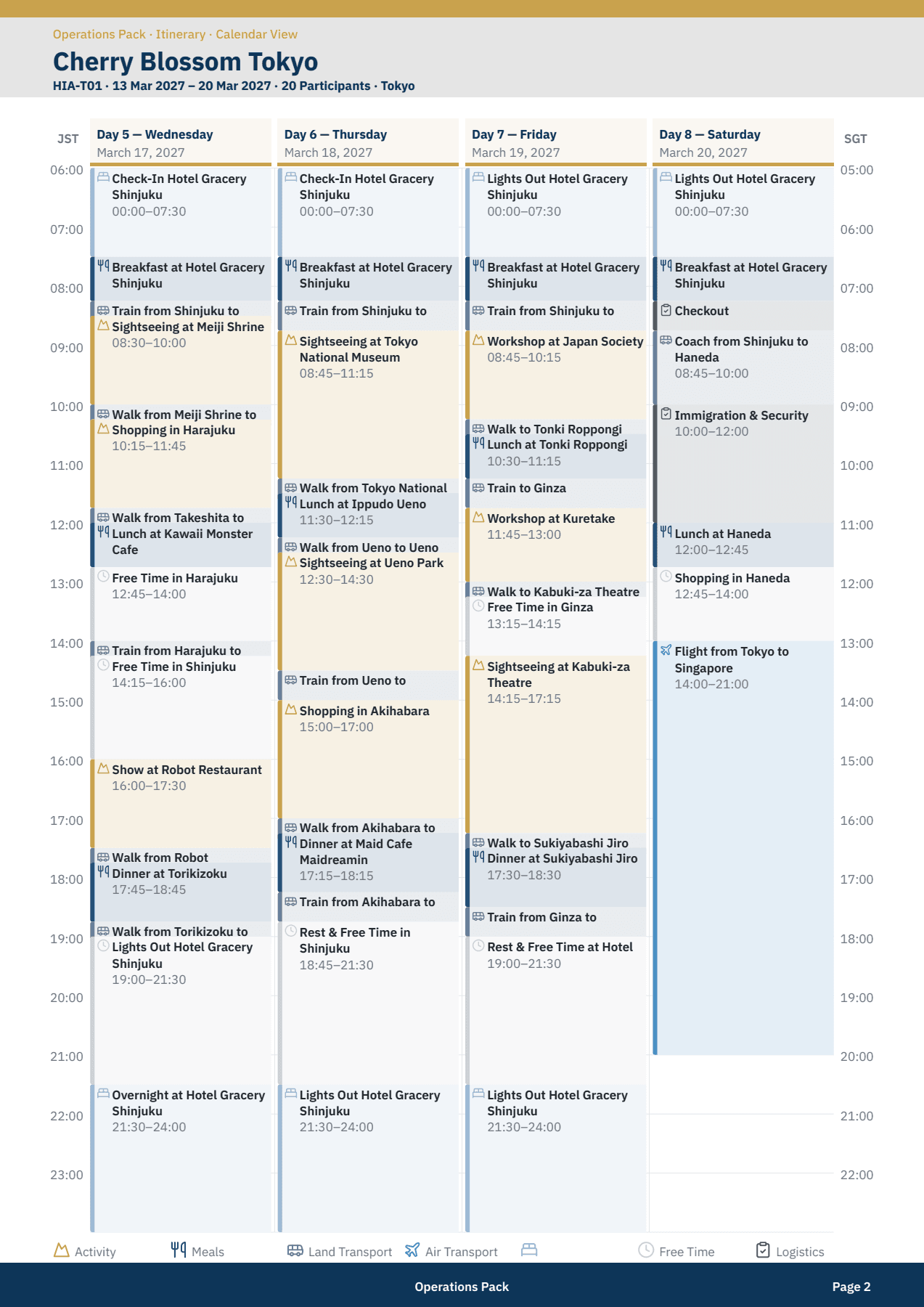
Each day reads hour by hour, with activities, meals, movements, free time and overnight periods in place.
Timeline view
The full journey reads continuously across days, destinations and accommodation changes.
Shared structure
Both views use the same categories, times and locations from the trip ledger.
Simple updates
A change to the trip record can flow into both views without rebuilding the itinerary twice.
The calendar view
The timeline shows the trip. The calendar runs the day.
The calendar view expands the same structured itinerary into readable day columns. The trip team can see exact timings, movements, free periods, meals and accommodation without losing the wider sequence.
- Activities
- Every scheduled program block has a start, finish and place.
- Movements
- Walking, coach, rail and air travel remain visible between activities.
- Unscheduled
- Free time and breaks are recorded as real blocks rather than gaps.
- Overnight
- The day continues through accommodation, lights-out and the next morning.
Where this applies
For every trip with a scheduled itinerary.
Calendar and Timeline views apply to day trips, residential programs, international travel and multi-stage expeditions. The level of detail follows the source itinerary the school and provider hold.
Location is one part of a complete trip file.
Routes, historical conditions and the duty manager’s operating view use the same trip context, so the school is not reconciling different versions of the journey.
A practical starting point
See your itinerary as one continuous record.
Send an itinerary for a trip already in planning. We will show how its activities, movements, breaks and overnight stays would read in a structured trip file.