Medical Access
Can your team see the medical facilities and travel times connected to each planned location?
ETI360 verifies facility information and connects it to the places in the itinerary, giving trip staff and the duty team one location-by-location reference.
The location question
Medical access becomes useful when it is connected to where the group will be.
A general destination hospital list does not show which facility relates to Tuesday’s activity, Thursday’s accommodation or a routed day outside the city center.
ETI360 organizes the information around the itinerary. Each planned location can carry a consistent facility reference, estimated access time and the operational details available from verified sources.
A location-based worked example
Facility information organized for the places the trip actually uses.
The record presents address and map access, operational profile, group suitability, emergency capability, accessibility and practical access information in one repeatable format.
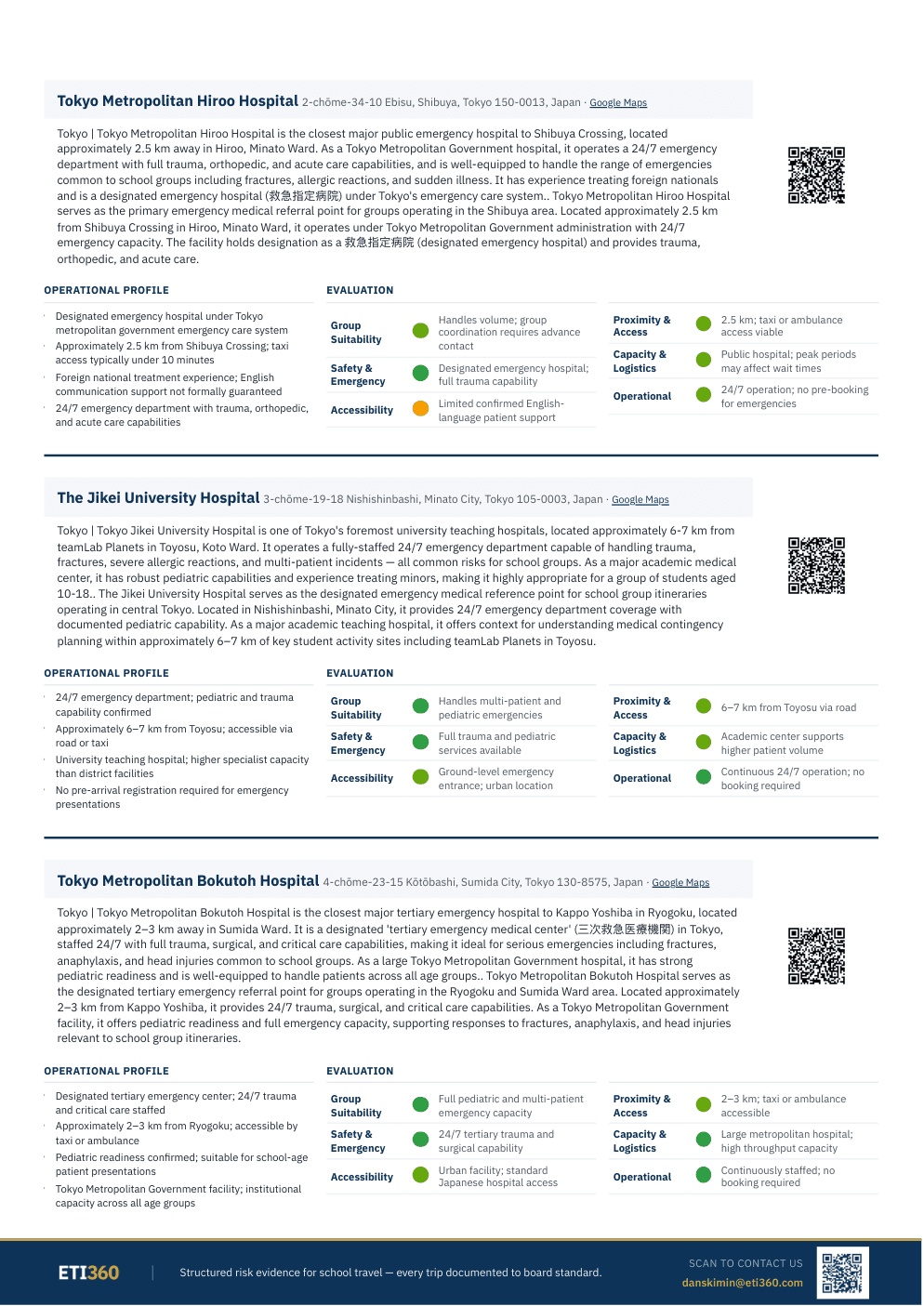
The same practical questions are answered for each relevant facility.
A repeatable profile makes the information easier to compare and easier to use alongside the day, route or accommodation it supports.
Which facility
The facility is named with its address and a direct mapping reference.
From where
The record connects the facility to the itinerary locations for which it is relevant.
How far
Distance and estimated access information place the facility in practical context.
What is known
Verified operating, capability and accessibility information is presented consistently.
The day-level view
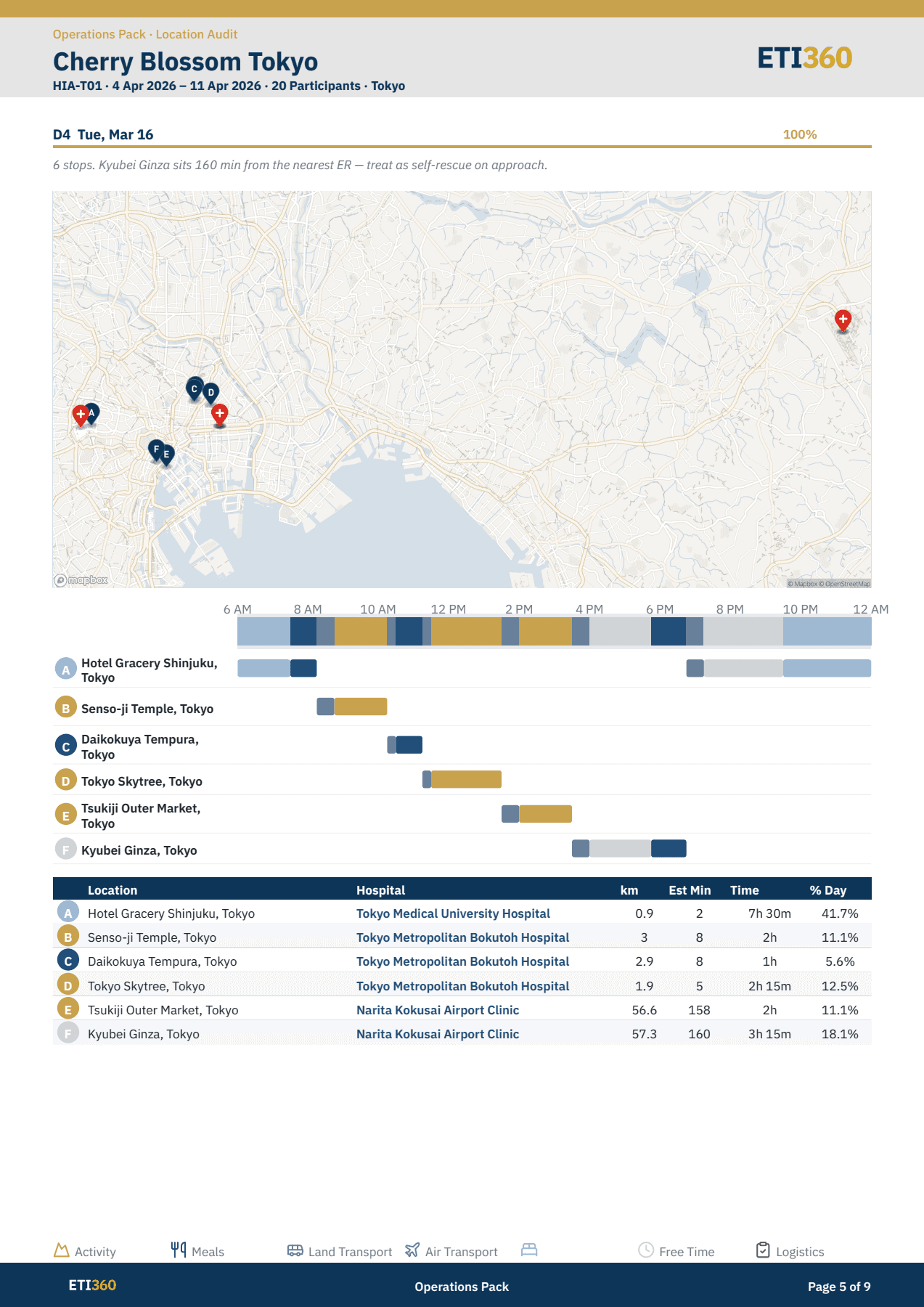
The map connects facilities to the schedule, not only to the destination.
A Location Audit can show the planned stops, the time allocated to each and the facility reference associated with that part of the day. The team reads the access information in the context of the itinerary.
- Locations
- The itinerary supplies the places that need to be considered.
- Facilities
- Relevant facility details are checked against available sources.
- Access
- Distance and estimated travel time are recorded for planning context.
- Handover
- The same reference can be included in staff and duty-manager documents.
Where this applies
For itinerary locations where a verified reference adds practical value.
Medical access can be documented for accommodations, activities, day routes, remote stages and other planned locations. The depth follows the trip and the reliable information available.
Medical access belongs beside the route and the itinerary.
The Location Timeline shows when the group is scheduled to be somewhere. Route Intelligence shows how it moves. The Medical Access Record adds the relevant facility context to those same places.
A practical starting point
See medical access connected to one of your itineraries.
Send a trip already in planning. We will show how its accommodations, activities and routes could carry consistent facility references in the trip file.