Incident Reporting
Does your school have one integrated system for incident reporting and documentation?
ETI360 brings the incident details, communications, recorded actions, status and follow-up into one time-stamped record operated by the school’s own team.
The system question
Incident reporting works best when the record is part of the operating system.
An incident may generate an initial report, calls, messages, actions, status changes and follow-up items. Each is useful on its own; together they form the complete record.
ETI360 keeps those elements connected to the trip and to one another. The school’s team can work from the same context during the event and retain a structured account for its own review afterwards.
One connected record
Details, actions, communications and status in one operating view.
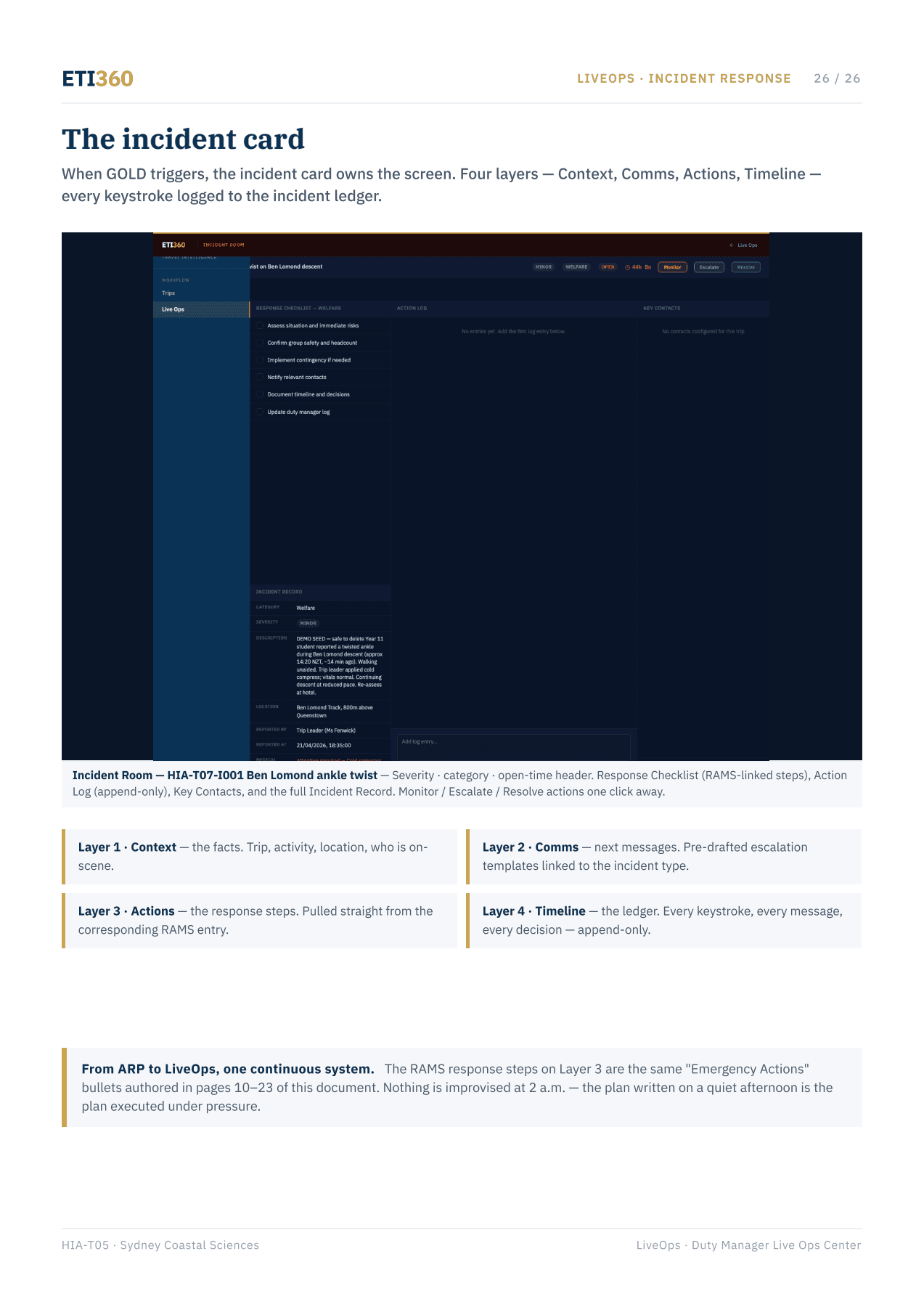
The incident view keeps the current position, open items, recorded actions and latest communication together. Entries remain associated with the trip, the people involved and the school’s own follow-up process.
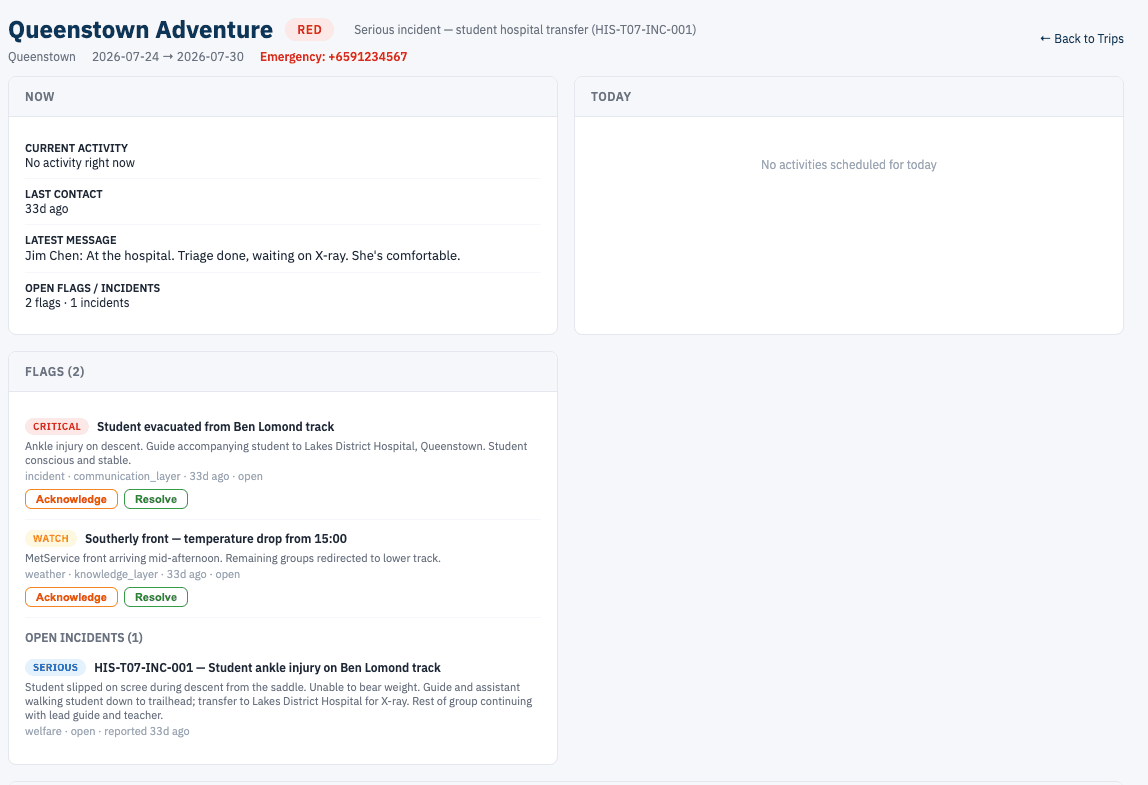
The system keeps each part of the record connected.
The value is not a single incident form. It is the continuity between the first entry, the operating activity that follows and the documentation retained after the trip.
Context
The incident stays connected to the trip, activity, location and people recorded by the school.
Communications
Relevant calls, messages and updates can be captured in the same chronological record.
Actions
Recorded actions and follow-up items remain visible with their status and timing.
Documentation
The operating record supplies a consistent basis for incident and post-trip reporting.
From operating view to retained record
The documentation develops as the school uses the system.
The trip team and duty manager do not need to reconstruct the sequence afterwards. Time-stamped entries create the source record from which the school’s incident documentation and follow-up review can be prepared.
- Report
- The initial facts are entered in a consistent structure.
- Update
- New information is added without overwriting the earlier record.
- Status
- Open, monitored, escalated and resolved states remain visible.
- Follow-up
- Actions and review items can carry into the post-trip file.
Where this applies
For schools that want one record from report through review.
The incident record sits within the same operating environment as the trip context, check-ins and communications. It can support the school’s procedures across active trips without changing who holds responsibility.
Incident documentation is one part of live trip operations.
The Duty Manager Dashboard supplies the operating context and communication history. The incident record gives the school a focused structure when it chooses to open and manage an incident.
A practical starting point
See how one incident record connects from start to finish.
We can demonstrate the system with a fictitious scenario based on the type of trips your school runs, showing the record without using real student or incident information.